
In 2026, SaaS is no longer limited to software delivery. It powers interconnected business ecosystems driven by AI copilots, API integrations, and third-party extensions. As SaaS environments become more connected, securing them has become significantly more complex.
Recent research from Qualys found that nearly one in four organizations experienced a SaaS or cloud-related breach in the past year, while Vorlon’s survey states that 99% encountered at least one SaaS or AI-driven security incident in 2025.
The challenge today is no longer securing individual applications. It’s gaining visibility and control over identities, permissions, integrations, and data flows across the SaaS ecosystem. As risks such as shadow IT, OAuth abuse, and over-permissioned accounts continue to grow, organizations need SaaS security best practices built around continuous monitoring, identity governance, and real-time threat detection.
This blog explores the key SaaS security challenges and best practices organizations should adopt to strengthen security without compromising agility or user experience.
The SaaS Security Challenges You Can’t Afford to Ignore
Challenge #1: Shadow AI and Unmonitored SaaS Usage
In 2026, your biggest threat isn’t malware, it’s your own employees integrating AI tools you’ve never vetted.
Browser-based copilots, AI writing assistants, and analytics extensions now enter your environment without security review. It often stores sensitive data such as customer PII, code, financials, in systems outside your control.
These tools often bypass procurement, lack encryption standards, and thrive on ingesting the exact data you’re trying to protect.
Even Microsoft wasn’t immune. Its AI research team accidentally exposed 38TB of internal data, including Teams messages and credentials, due to misconfigured AI storage.
The business risk? Massive. You’re looking at potential compliance violations, loss of IP, and trust erosion, all without a single alert from your current stack.
To avoid multiplying it, deploy a SaaS Security Posture Management (SSPM) with shadow AI detection, browser-level telemetry, and policy enforcement. Block unvetted tools. Monitor OAuth scopes.
Challenge #2: Access and Identity Sprawl
Here’s the uncomfortable truth: in most enterprises, users have more access than they need and attackers know it.
Think about all the SaaS apps you’ve approved. Each one adds roles, tokens, and admin rights, but no one audits them regularly.
Over time, dormant superusers remain active, OAuth tokens never expire, and permissions pile up quietly.
On the business front, one compromised account derails compliance, destroys trust, and triggers real financial consequences.
You won’t get a warning. So, enforce the least privilege, run access audits, and centralize identity governance across your SaaS stack starting today.
Challenge #3: OAuth Token Sprawl
OAuth was supposed to simplify access. In 2026, it became one of the most overlooked risks in SaaS environments.
Every time someone connects a third-party app to your systems: a calendar plugin, an AI productivity tool, or a CRM extension, your system issues an OAuth token. These tokens often carry broad, persistent permissions. They don’t expire quickly. And most companies don’t track them.
Over time, these credentials piled up; tied to inactive users or forgotten apps. Since they operate outside your identity provider, they stay active even after employee offboarding or password resets.
This is how modern breaches unfold: quietly, without alerts.
What’s at stake? Persistent exposure. Loss of control over who, or what, is accessing your core SaaS tools. And because OAuth sprawl rarely shows up in traditional audits, most organizations don’t even know they’re vulnerable.
Fix it with visibility. Map and manage token lifecycles across your SaaS stack.
Planning to build a SaaS product from the ground up? Explore our SaaS product development guide for strategies that blend scalability, security, and speed led.
Challenge #4: Compliance and Data Residency
Thanks to Generative AI, compliance is a moving target, unlike the old, checkbox.
GenAI tools now shift how and where your data moves. Your sensitive inputs are processed across global data centers, logged by third-party AI engines, and stored without clear visibility into residency or retention policies.
And regulators are catching up fast. The EU’s AI Act enforces transparency around data usage in AI models. India’s DPDP Act introduces strict rules around consent and cross-border transfers. Similar laws in China, Brazil, and others are expanding how enterprise data is governed.
You can’t prove compliance if you don’t know where your data flows. This liability could cost you fines, contract risk, and customer churn. A single AI tool processing data outside approved geographies could risk your compliance posture.
What would help?
Centralized visibility into SaaS data flows, automated checks for geo-boundary violations, and strong vendor governance, especially for AI-powered tools operating across borders.
Challenge #5: No Real-Time Monitoring
Most breaches aren’t discovered in real time. They’re found weeks later, after the damage is done.
Today’s attackers don’t break in. They blend in using legitimate credentials and moving through systems slowly. And without real-time behavioral analytics, there’s no way to tell if a user’s action is routine or a red flag.
Now, there’s a new threat vector: ransomware-in-the-browser. These attacks don’t hit your endpoint security tools. They target SaaS apps directly. And without anomaly detection, they go unnoticed until systems are encrypted or data is exfiltrated.
A SquareX report warns this trend is becoming a serious threat. And without real-time monitoring, attackers can infiltrate SaaS applications and encrypt critical data before security teams even become aware of the issue.
In 2026, static logs and weekly audit reviews won’t cut it. You need continuous monitoring that understands normal user behavior and flags what isn’t.
What’s at stake? Missed breach windows. Reputational loss. And operational downtime when your SaaS tools, the ones your teams rely on daily, go dark without warning.
Go for smarter monitoring, tools that learn patterns, while flagging unusual activity, and alerting your teams in real time.
11 Proven SaaS Security Best Practices
By now, you are already aware of where the cracks are shadow AI, token sprawl, identity chaos, and blind spots you can’t afford. The question now is how to secure SaaS applications before those cracks turn into full-blown breaches.
In 2026, SaaS security is less about reacting and more about operationalizing the right controls before attackers get a head start. Let’s get into what works.
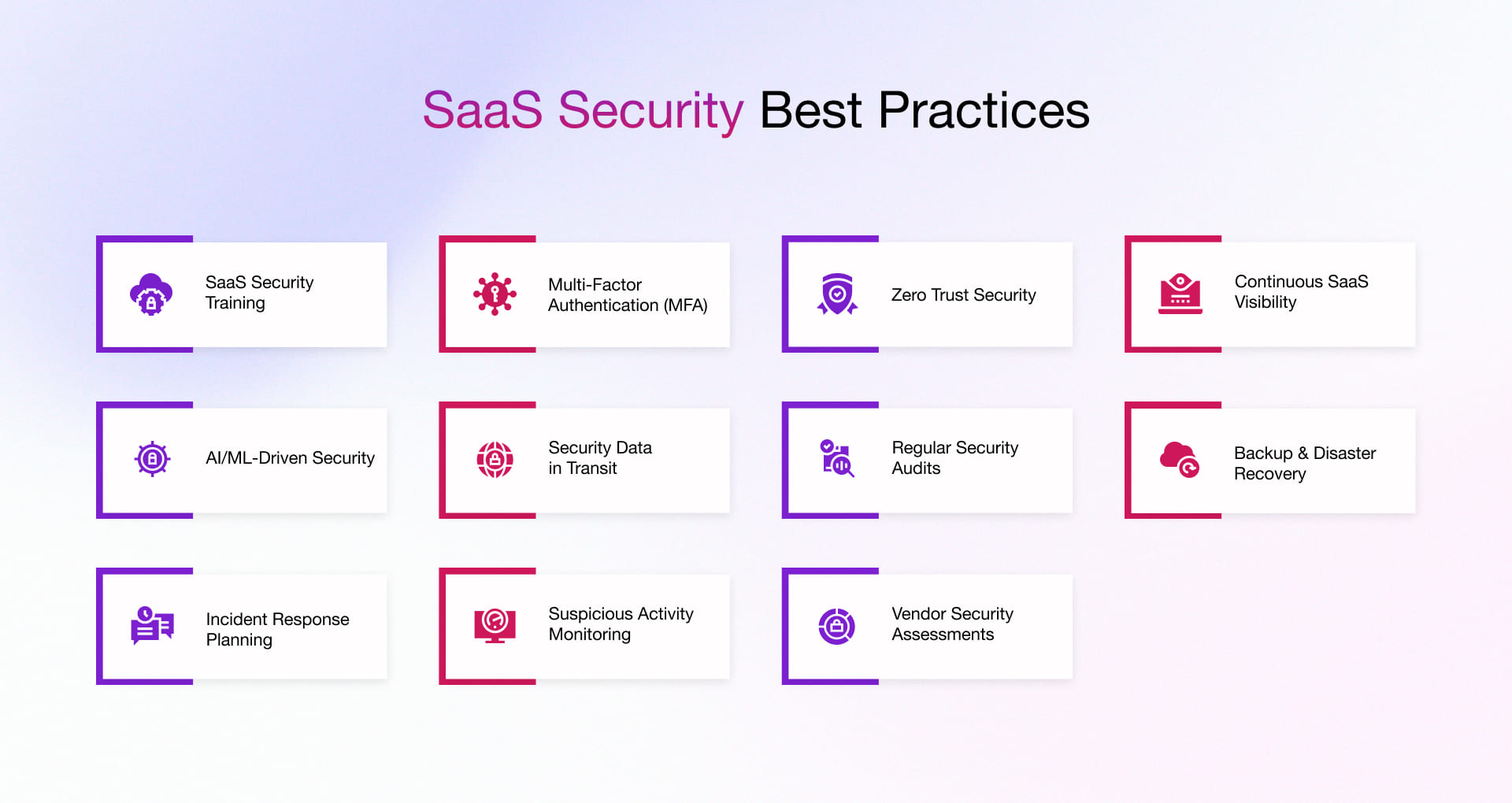
1. SaaS Security Awareness and Training
SaaS Security awareness training eliminates one of the biggest threats, i.e., human error. Awareness and training make teams better at identifying, avoiding unsafe integrations, and credential responsibly.
This directly reduces the chances of account compromise and unauthorized access. Over time, you build security-first culture that scales with your product and operations.
Training becomes effective and continuous:
- Run role-based security training
- Simulate phishing and social engineering attack regularly
- Enforce policies on OAuth app approvals and third-party integrations
- Educate teams on credential hygiene (password managers, no reuse)
- Track training effectiveness through risk scores and user behavior metrics
2. Multi-factor Authentication
Enabling MFA gives you an immediate and measurable improvement in account security. Even if credentials are exposed, attackers cannot easily gain access without the second verification factor.
This protects critical systems, admin accounts, and sensitive customer data. As your SaaS ecosystem grows, MFA ensures that a single compromised password doesn’t turn into a full-scale breach.
That’s how MFA strengthens your passwords from being compromised and turning into a full-scale breach.:
- Enforce MFA for all users, especially privileged and admin accounts
- Use phishing-resistant MFA (FIDO2, hardware keys, passkeys)
- Integrate MFA with your SSO and identity provider (IdP)
- Apply adaptive MFA based on risk signals (location, device, behavior)
- Regularly audit and remove MFA exemptions or legacy access paths
3. Zero Trust Approach
Adopting a Zero Trust approach helps you move from implicit trust to continuous verification. Every user, device, and request is validated before access is granted. This minimizes the risk of lateral movement within your systems if an account is compromised.
With better control over access and behavior, you gain stronger visibility and reduce the blast radius of potential threats.
To operate a Zero Trust model:
- Monitor and restrict lateral movement across apps and environments
- Integrate Zero Trust policies with SSPM, CASB, and identity platforms
- Enforce least privilege access across all SaaS applications
- Continuously verify users via device posture and identity signals
- Segment access using role-based and attribute-based controls (RBAC/ABAC)
4. Make SaaS Visibility a Continuous Function
Product and security leaders need a live view of which apps, identities, and browser extensions are active, what data they touch, and whether they are sanctioned. As one of the most important SaaS application security best practices, continuous visibility starts by connecting an SSPM platform to identity systems like Google Workspace, Okta, or Azure AD. This helps identify shadow IT, risky plugins, and over-privileged integrations early. When the same platform can also quarantine high-risk apps, expire unused tools, and push signals into SIEM or SOAR, visibility turns into active control rather than a static report.
SSPM platforms should do more than observe; they must enforce:
- Auto-quarantine apps requesting high-risk OAuth scopes
- Block tools that fail vendor security checks
- Auto-expire unused apps after 30 days
- Route risk signals to your SIEM, SOAR, or Slack channels
- Track unmanaged browser plugins
Move from observability to enforceability. Because if your tools can’t act in real time, they aren’t securing anything.
5. Leverage AI/ML for Enhanced Security
AI/ML is essential for defending SaaS environments where manual log review and static rules can’t keep up with the volume and agility. Behavior‑based analytics such as UEBA help with baseline normal patterns across users, tenants, and integrations. It then flags anomalies that indicate compromised accounts, insider threats, or automated abuse.
As a part of modern SaaS security principles, machine learning‑driven risk scoring moves from generic alerts to context‑aware responses. It automatically triggers actions like session suspension, step‑up authentication, or token revocation via SOAR.
When these AI‑powered decisions are explainable to auditors and leadership, they not only harden your SaaS but also strengthen your enterprise security story in sales cycles.
- Deploy UEBA to baseline normal activity across users and integrations.
- Apply ML‑based risk scoring rather than static, rule‑only policies.
- Connect AI insights to SOAR to suspend sessions and revoke access automatically.
- Use AI to drive real‑time step‑up authentication on suspicious behavior.
6. Secure Data in Transit and at Rest
Securing SaaS data requires designing the platform with an assume‑breach mindset. Protection must extend to data in transit, at rest, and where feasible, in use, with field‑level encryption for sensitive attributes and tightly controlled decryption paths.
BYOK/HYOK models give larger customers direct control over encryption keys, while tokenization keeps PII out of logs and analytics pipelines. Combined with DSPM to continuously locate and classify sensitive data across stores and environments.
- Encrypt data in transit, at rest, and where possible, in use.
- Apply field‑level encryption for sensitive fields and tightly scope decryption.
- Offer BYOK/HYOK so customers retain cryptographic control.
- Tokenize PII in APIs to keep it out of logs and analytics.
- Use DSPM tools to detect sensitive data in risky locations
7. Conduct Regular Security Assessments
Regular security assessments validate whether your controls still match the reality of a fast‑changing SaaS architecture. Instead of relying on annual audits, you embed DAST, cloud‑native pentesting, and configuration‑drift checks into your CI/CD pipeline. It enables testing every release for regressions and exploitable misconfigurations.
Periodic red‑team exercises against production‑like environments help understand how real attackers would move through your stack. Besides, a structured program of risk‑based frequency, sprint‑aligned remediation, and SSPM/SIEM logging ensures nothing falls through the cracks. For stakeholders, this turns security assessments from a compliance checkbox into an ongoing quality signal for your product.
Establish a structured process:
- Set assessment frequency based on risk exposure
- Align remediation with sprint cycles
- Prioritize issues using threat intelligence
- Log outcomes into your SSPM or SIEM for visibility and accountability
Today, resilience depends on how fast you respond. Assess continuously to detect and resolve issues before they become incidents.
8. Create Comprehensive Backup and Disaster Recovery Plan
A robust backup and disaster recovery (DR) plan ensures your SaaS can withstand ransomware, cloud outages, and operator errors.
It’s not just about having backups. It’s about having versioned, immutable copies, clear RPO/RTO targets, and a tested process to restore entire environments or individual tenants quickly.
For a SaaS owner, a solid DR strategy directly impacts SLAs, customer trust, and your ability to pass enterprise continuity and security reviews.
- Define clear Recovery Point Objective (RPO) and Recovery Time Objective (RTO) per product/tier.
- Implement automated, encrypted, versioned backups across regions or availability zones.
- Use immutable storage and backup segregation to resist ransomware and insider threats.
- Regularly test restore procedures for full environments, individual tenants, and critical services.
- Document DR runbooks and align them with your SLAs and customer communication plans.
9. Establish incident response procedures
Incident response (IR) procedures turn chaotic security events into structured, time‑boxed operations with accountable owners.
A clear IR plan defines how you detect, triage, contain, eradicate, and recover from incidents while keeping regulators, customers, and internal stakeholders informed.
For SaaS products selling into regulated or security‑mature markets, documented and rehearsed IR processes are essential to limit damage, reduce legal exposure, and demonstrate operational maturity during security assessments.
- Define severity levels and clear criteria for what qualifies as a security incident.
- Assign roles and an on‑call rotation (incident commander, comms lead, technical lead, legal/compliance).
- Standardize playbooks for common scenarios (credential theft, data leakage, ransomware, vendor compromise).
- Integrate IR workflows with SIEM/SOAR for rapid detection, containment, and evidence collection.
- Conduct regular tabletop exercises and post‑incident reviews to refine your procedures.
10. Monitor for Suspicious Activity
Effective monitoring for suspicious activity means focusing on intent and behavior. It can detect subtle anomalies indicating account misuse or malicious extensions before large-scale exfiltration by using UEBA and modern SIEM capabilities.
Integrating these detections with SOAR lets you automate triage and response, such as temporarily locking accounts, revoking tokens, or demanding reauthentication. Enriching alerts with role, device, and tenant context reduces noise for your SOC and surfaces only those incidents that truly matter, improving both security and operational efficiency.
Make detection workflows actionable:
- Map high-risk behaviors to real-time policies
- Route anomalies to SOAR systems for investigation or access revocation
- Enrich alerts with user context like role, device, and location
- Focus alerts only on suspicious behavior that needs action
11. Develop Strong Vendor Security Assessment Processes
In a SaaS environment built on integrations, vendors often become your most exposed entry point. One poorly vetted connection can compromise critical data.
Replace checkbox-based reviews with continuous, risk-driven assessments. Use platforms like Whistic, Vanta, or SecurityScorecard to automate due diligence, track vendor risk, and enable real-time monitoring.
Make your process actionable:
- Block OAuth scopes from vendors that don’t meet security requirements
- Auto-expire access for vendors lacking up-to-date compliance documentation
- Route abnormal vendor activity to SIEM or access control workflows
- Include security clauses in contracts to cover breach notifications, audit rights, and incident handling
Also worth keeping in check: employee awareness, SaaS-specific backups, and incident response protocols. They’re not silver bullets, but they’re core to the best practices for securing SaaS applications limiting the impact radius when things go wrong.
Secure SaaS Applications with Rishabh Software’s Secure-by-Design Expertise
Securing your SaaS environment isn’t about tools. It’s about having the right partner. At Rishabh Software, we don’t just build SaaS products. We engineer them on a secure-by-design SaaS architecture, so you’re not patching vulnerabilities after launch but preventing them from day one.
Our end-to-end SaaS development services integrate cloud-native security, identity governance, data protection, and real-time threat detection from day one. With deep expertise in AI/ML, compliance frameworks, and zero-trust architecture, we help enterprises design secure, scalable SaaS solutions built to withstand modern attack surfaces.
And while these advanced controls matter, don’t overlook the basics. Consistent employee training, reliable SaaS backups, and a tested incident response plan still play a critical role in limiting the impact when things go wrong.
If you’re looking to develop with resilience instead of reactively fixing what breaks, let’s talk.
Frequently Asked Questions
Q: How often should enterprises conduct SaaS security audits ?
A: At a minimum, enterprises should conduct a comprehensive security audit at least every six months. However, this alone is not enough. Continuous monitoring and monthly mini-audits are crucial for identifying misconfigurations early. Real-time threat detection tools should run 24/7 to identify anomalies before they escalate.
Q: What key security questions should enterprises ask SaaS vendors before onboarding ?
A: Here are the questions that you need to ask SaaS vendors—because every integration, permission, and API call is a SaaS security consideration you can’t afford to overlook.
- How do you protect customer data?
- Are you compliant with security regulations?
- What authentication and access controls do you provide?
- How do you detect and respond to security incidents?
- How secure are your APIs?
- How do you manage third-party security risks?
- What happens to our data after the contract ends?
- Do you offer visibility into security logs?
- What DDoS protection measures do you have in place?
- How do you ensure business continuity?
A secure SaaS vendor prioritizes transparency, compliance, and proactive security. If they can’t confidently answer these, it’s a red flag.
Q: How do AI-driven threats impact SaaS security, and how can enterprises defend against them ?
A: AI enables faster, difficult-to-detect cyberattacks. Hackers use AI to automate phishing attacks, bypass authentication, and exploit vulnerabilities. Deepfake scams and AI-generated malware increase the risk. To defend against AI-driven threats:
- Use AI-powered threat detection to spot unusual SaaS activity.
- Automate response with AI-driven security tools.
- Enforce Zero Trust to limit unauthorized access.
- Block AI-generated phishing using machine learning.
- Monitor APIs to prevent automated attacks.
- Train employees to spot AI-driven scams and deepfakes.
AI-powered threats need AI-powered security. Enterprises must adapt fast
Q: Why is SaaS Security Different from Cloud Security ?
A: SaaS security is less about infrastructure and more about identity, access, and integrations. Unlike Cloud, you don’t control the backend, you control who gets access and what they can do. Most risks come from over-permissioned users, third-party apps, and misconfigurations, not servers.
Q: How to create an effective SaaS security checklist ?
A: A strong SaaS security checklist helps you standardize security across all apps as you scale. It should focus on:
- Access: SSO, MFA, least privilege
- Visibility: Track all apps, including shadow IT
- Integrations: Control OAuth permissions
- Configurations: Detect and fix misconfigurations
- Data: Protect and monitor sensitive data
- Monitoring: Enable real-time alerts and response
- Vendors: Continuously assess third-party risk