For CIOs and business leaders navigating hybrid work and escalating cyber risks, workplace transformation is no longer optional; it’s a competitive imperative. Despite investing in collaboration platforms, cloud storage, and automation tools, many organizations still struggle with fragmented workflows and disconnected systems due to the absence of a unified workplace strategy. 80% of the global workforce reports lack of time and energy to do their job. Also, employees are interrupted by a meeting, email, or ping every 2 minutes as per Microsoft’s Work Trend Index.
At the same time, workplace models are evolving rapidly, with 92% of organizations now adopting hybrid work environments. This is where Microsoft Modern Workplace solution becomes essential. It unifies collaboration, security, automation, and AI into a single, intelligent ecosystem. This blog explores how Microsoft’s modern solutions help address key operational challenges, optimize your workplace tools strategically, and guide organizations in implementing a modern, scalable workplace ecosystem.
How are Microsoft Modern Workplace Solutions Helping Business Functions?
Organizations are well equipped with tools; the only challenge is getting them to use them optimally. The real value of the modern workplace lies in how strategically these tools are integrated and utilized.
Microsoft 365
This lays the foundation for the modern workplace by combining Microsoft 365 productivity tools, collaboration platforms, cloud storage, and security under a single subscription.
Best for:
- Organizations moving to cloud-based productivity
- Distributed or hybrid teams
- Business looking for integrated collaboration and security
Key capabilities:
- Cloud versions of Word, Excel, PowerPoint, and Outlook
- Real-time document collaboration
- Enterprise email and calendar management
- Built-in compliance and security controls
How does it benefit your business:
- Employees collaborate on documents simultaneously
- Teams access work securely from anywhere
- IT teams manage productivity tools from a centralized platform
Microsoft Teams
Implementing Microsoft Teams governance ensures structured team creation, controlled access authorization, and better collaboration management across departments.
Best for:
- Remote and hybrid teams
- Organizations handling multiple cross-functional projects
- Business looking for real-time collaboration
Key capabilities:
- Chat, voice call, and video conferencing
- Team channels for project collaboration
- Meeting recordings and transcripts
- Deep integration with Microsoft 365 apps
How does it benefit your business?
- Rapid decision-making using instant communication
- Reduced dependency on lengthy email threads
- Unified collaboration across departments
SharePoint
Another modern workplace application that acts as organization’s digital knowledge hub is SharePoint. It allows teams to create intranet portals, manage documents, and share institutional knowledge.
Best for:
- Enterprises handling large volumes of documents
- Organizations wanting to build internal knowledge portals
- Teams requiring structured document management
Key capabilities:
- Intranet portal development for internal communication
- Workflow automation and approvals
- Secure external sharing
- Document libraries with version control
How does it benefit your business?
- Structured information management
- Better internal knowledge accessibility
- Reduced duplication of documents and content
OneDrive
OneDrive offers secure cloud storage for individual users. It allows employees to access and share files across devices.
Best for:
- Professionals handling large personal work files
- Teams requiring secure file sharing
- Employees working remotely
Key capabilities:
- File synchronization across devices
- Secure file sharing and access controls
- Automatic file backup and version history
- Personal cloud storage for work files
How does it benefit your business?
- Seamless access to files from anywhere
- Secure collaboration with internal and external users
- Reduced reliance on local storage
Power Platform
It allows organizations to develop applications, automate workflows, and evaluate data without heavy coding requirements. With the right Power Platform consulting services, businesses can further accelerate solution development, streamline automation initiatives, and unlock deeper insights from their operational data.
Best for:
- Organizations heavily dependent on manual repetitive tasks
- Organizations building internal tools
- Data-driven decision-makers
Key capabilities:
- Power BI for business analytics
- Power Apps for custom app development
- Power Automate for workflow automation
- Microsoft Copilot Studio for conversational bot development
How does it benefit your business?
- Reduced manual processes
- Data-driven insights across departments
- Rapid development of internal applications
Viva
This Microsoft modern workplace solution is designed to enhance the employee experience, improve engagement, and enable knowledge sharing within organizations.
Best for:
- HR and employee experience teams
- Organizations aiming on workplace culture
- Hybrid workforce management
Key capabilities:
- Viva Connections for internal communication
- Viva Learning for employee development
- Viva Insights for productivity analyst
- Viva Topics for knowledge discovery
How does it benefit your business?
- Enhances employee engagement
- Improves knowledge accessibility
- Enhanced productivity insights for leaders
Microsoft Copilot
This is an AI-powered assistance across Microsoft 365 applications that helps your employees complete tasks faster and make smarter decisions.
Best for:
- Data analysts and managers
- Teams seeking productivity through AI assistance
- Knowledge workers
Key capabilities:
- AI-generated content in Word and PowerPoint
- Data insights and summaries in Excel
- Automated meeting notes and summaries in Teams
- Intelligent task assistance across apps
How does it benefit your business?
- Rapid data interpretation and reporting
- Better decision-making
- Reduced time spent on repetitive work
Intune
This workplace solution aims at mobile device and application management that ensures secure access to corporate data from personal or company devices.
Best for:
- Organizations with BYOD (Bring Your Own Device) policies
- IT teams prioritizing data security
- Companies managing mobile workforces
Key capabilities:
- Data protection enforcement
- Application security policies
- Conditional access control
- Mobile device management
How does it benefit your business?
- Controlled device compliance
- Secure access to corporate resources
- Reduced risk of data breaches
Azure
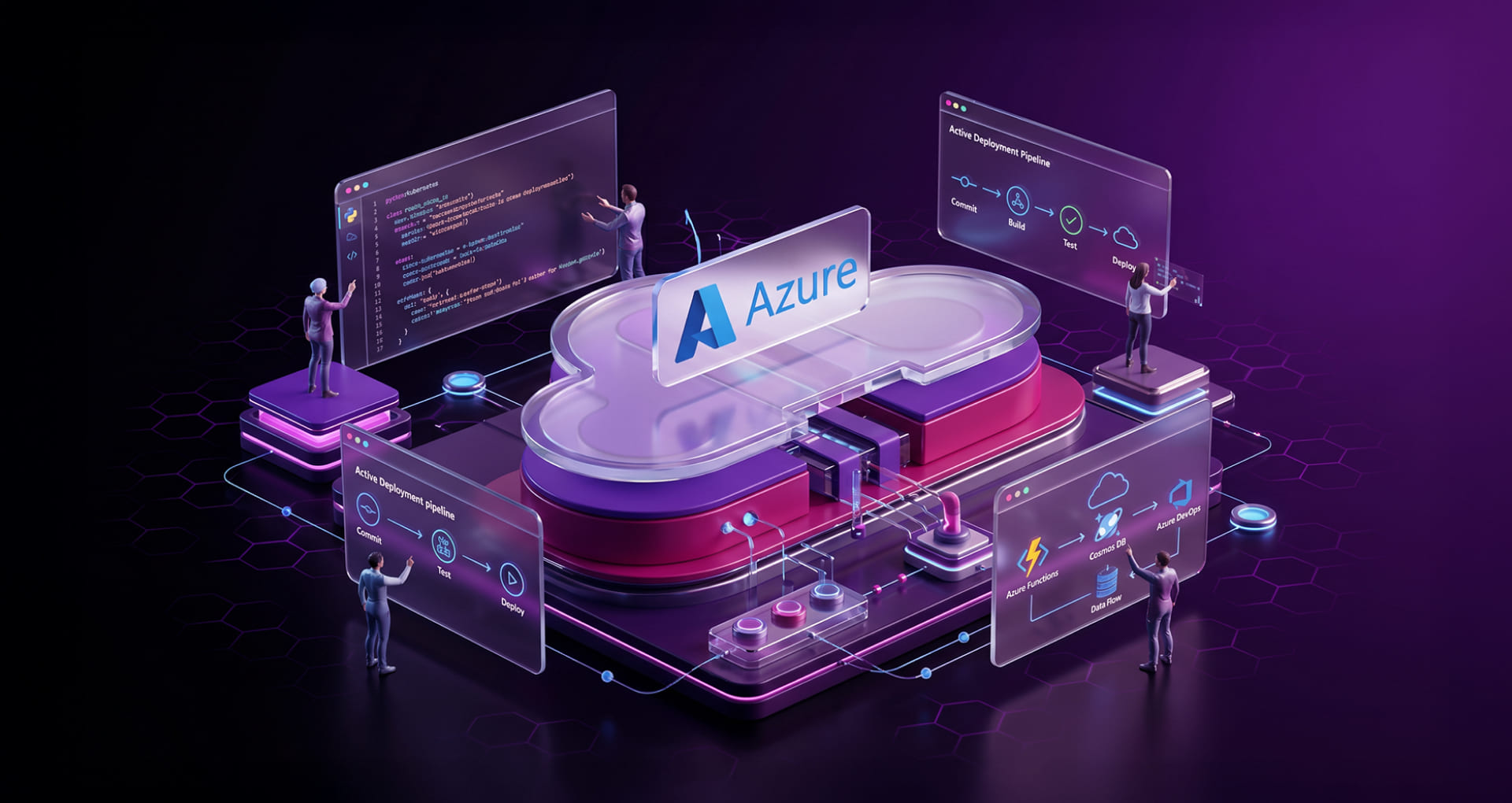
Microsoft Azure offers cloud infrastructure powering the modern workplace that enables organizations to scale apps, store data, and deploy services across the globe.
Best for:
- Business creating cloud-native apps
- Organizations migrating to cloud infrastructure
- Enterprises requiring scalable computing resources
Key capabilities:
- Scalable compute and storage
- Global service deployment
- AI and analytics integration
- Hybrid cloud support
- Disaster recovery
How does it benefit your business?
- Scalable infrastructure
- Rapid innovation and development
- Better business continuity and disaster recovery
5 Operational Problems Microsoft Workplace is Solving
Despite investing in multiple digital tools, many organizations still struggle with operational inefficiencies that happen due to disconnected systems, security vulnerabilities, and stringent IT environments. Microsoft workplace solutions overcome these challenges by creating a secure, collaborative, and intelligently connected digital ecosystem. It enables teams to function more effectively and efficiently.
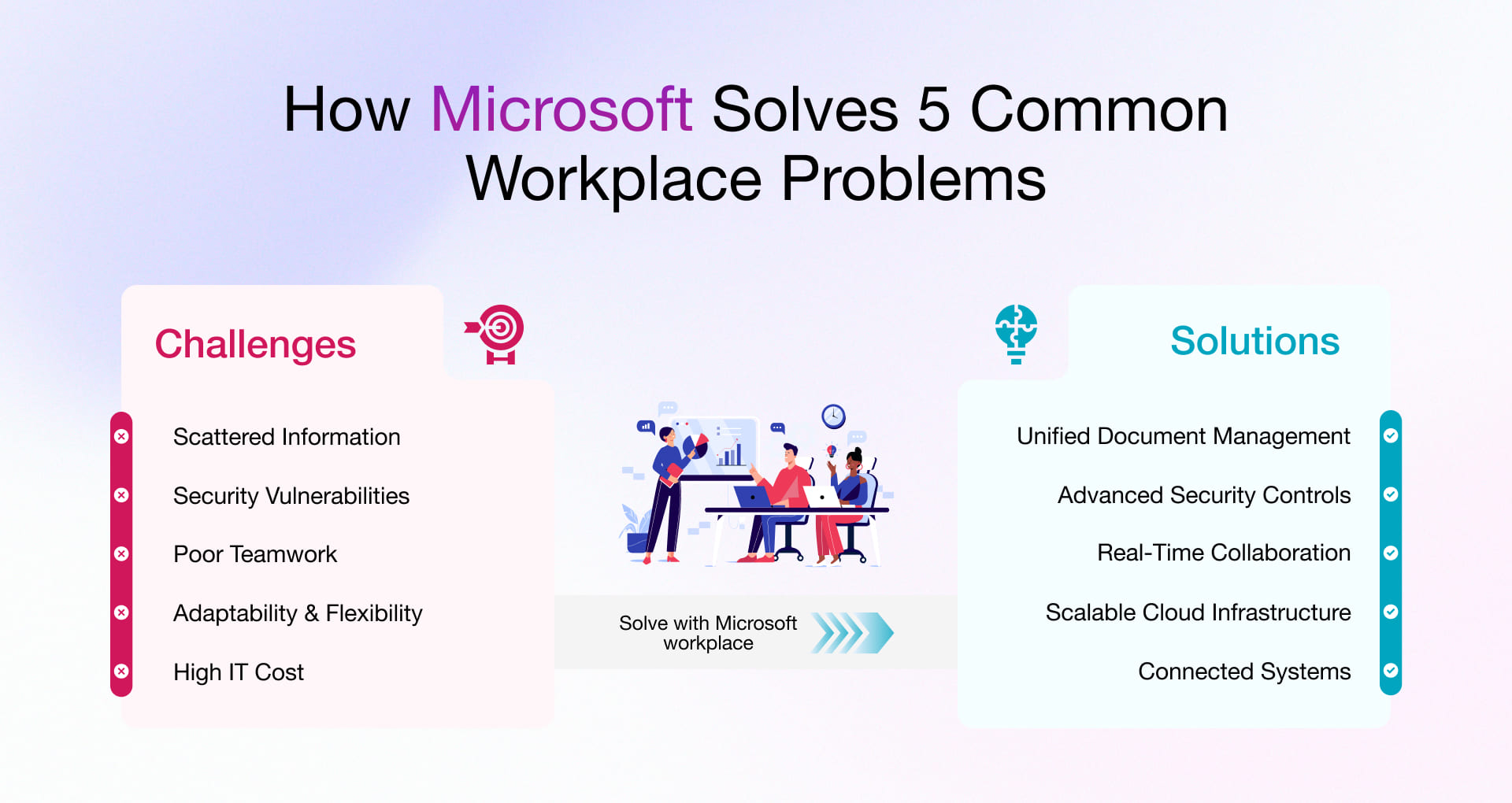
Scattered Information
Organization information often sits across emails, local drives, and multiple systems, making it difficult to locate documents and track updates. It takes a toll on employees to locate documents, monitor project updates, and access institutional knowledge whenever required.
But with Microsoft modern solutions like SharePoint and OneDrive, this headache becomes a thing of the past. Both solutions unify document storage and knowledge management while enabling employees to access files securely from anywhere. Microsoft 365 has built-in search capabilities that allow teams to quickly find documents, conversations, and shared resources that reduces time wasted searching for information.
In one of our projects, we executed a GoDaddy to Microsoft 365 migration that enabled centralized collaboration and secure document management.
Security Vulnerabilities
Your organization’s data may be at risk due to business app accessibility from multiple devices and locations. And since there are no centralized security controls, your entire organization’s data security is at stake.
Microsoft Modern Workplace comprises identity management, device security, and data protection, leveraging platforms such as Microsoft Intune and Microsoft Azure. Both tools are built using conditional access, device compliance checks, and data protection controls to ensure secure access to corporate resources while handling regulatory compliance.
Poor Teamwork
A hybrid work culture creates dispersed teams that eventually struggle with communication gaps, delayed feedback loops, and inefficient collaboration processes. Decision-making and project execution slow down when communication is scattered across disconnected channels.
With Microsoft 365 governance, Teams also ensures that workspace creation, membership, and access remain controlled rather than growing into an ungoverned sprawl. Employees can easily collaborate through real-time messaging, video meetings, shared workspaces, and integrated apps.
Adaptability & Scalability
As organizations scale or shift to hybrid models, traditional on-premises IT environments simply cannot keep up with evolving infrastructure and workforce demands.
Azure provides the cloud platform to scale infrastructure, deploy applications, and enable hybrid work on demand. Combined with Microsoft Copilot, organizations can adapt workflows, automate repetitive tasks, and free employees to focus on higher-value strategic work.
High IT Cost
IT costs increase for several reasons, such as managing on-premises infrastructure, subscribing to multiple software tools, and handling IT management processes manually. There have been cases where organizations even pay for tools that function similarly and do not add or create value.
Microsoft 365 consolidates collaboration, document management, communication, and workflow automation into a single subscription. This eliminates redundant tools while reducing infrastructure dependency and the total cost of IT ownership.
How an Unoptimized Microsoft Environment Impacts ROI
Deploying Microsoft tools without a governance and usage strategy reduces ROI and increases operational costs. An unoptimized Microsoft environment creates operational inefficiency, inflates licensing expenses, and introduces compliance risk, all of which erode the return on your digital workplace investment.
License Waste
Most organizations invest heavily in enterprise licenses but cannot optimally leverage the platform. Many times, employees just use a subset of features within Microsoft 365 while advanced collaboration, analytics tools, and automation remain unutilized.
As a result, increased operational expenses without proportional business value. With strategic license management, Microsoft 365 optimization, and usage tracking, organizations can fetch optimum value from their Microsoft workplace productivity tools.
Productivity Leakage
One of the core reasons for productivity leakages is workplace apps functioning in silos, which is why employees simply spend excessive time switching between tools, finding information, or manually running repetitive tasks.
To reduce workflow fragmentation and empower your teams, integrating collaboration platforms like Microsoft Teams with document management systems like SharePoint to enable communication and knowledge sharing is an ideal solution.
Compliance Exposure
When the workplace environment is poorly configured, it creates compliance risk related to data access, sharing, and retention. And lack of centralized governance, organizations even struggle to implement security policies or maintain visibility over confidential information.
Microsoft Azure and Intune allow organizations to implement identity management, access control, and device compliance policies. Such controls eliminate regulatory exposure and safeguard corporate data across distributed work environments.
Shadow IT
Employees often use unauthorized third-party apps to accomplish their work when they feel their official workplace tools are difficult to use or poorly configured. It exposes the organization’s internal data and environment.
A well-structured Microsoft workplace environment integrates communication, document management, and workflow automation within platforms like Microsoft Teams. It reduces the need for external tools that improve governance.
AI Deployment Risk
Organizations must ensure that their data environment is properly structured and governed. If data is scattered, poorly classified, and unsecured, AI systems highlight inaccurate or misleading insights or expose confidential information.
Therefore, it becomes important to create a workplace environment through proper data governance, access control, and content organization. Leverage Azure consulting services to design a secure environment capable of supporting advanced workloads such as AI, analytics, and enterprise apps.
5 Mistakes That Reduce Microsoft 365 ROI (And How to Fix Them)
Without a strategic approach that maintains customization, governance, security, and leadership alignment, realizing Microsoft 365 ROI is almost null. Therefore, let us understand how to gain optimum results from Microsoft’s modern solutions.
Over-Customization
Heavy customization makes systems complex, unmanageable, and difficult to update. Prioritize Microsoft 365 and Power Platform’s extensive built-in capabilities before pursuing custom modifications for more flexibility with less long-term maintenance overhead.
No Governance Framework
Without Microsoft 365 governance policies, organizations face uncontrolled workspace proliferation, inconsistent access control and growing compliance risk. Establish clear governance policies for Teams and SharePoint, covering workspace creation, naming conventions, data retention, and access management.
Overload Tools
Another method of getting maximum outcome is not using multiple tools offering similar functions. A consolidated environment built on Microsoft 365 enables seamless collaboration using communication, files, and workflows into a single ecosystem.
Ignoring Security Configuration
When the environment is improperly configured, it exposes security and compliance risks. To enforce secure access and device compliance across distributed teams, it becomes essential to leverage security capabilities within Microsoft Intune and Microsoft Azure.
No Executive Sponsorship
Digital workplace initiatives consistently fail without leadership alignment. Executive sponsorship ensures stronger adoption, alignment with business objectives, and sustained ROI from Microsoft workplace investments.
How to Implement the Microsoft Modern Workplace Solution?
Microsoft Modern Workplace Solution requires detailed analysis and planning while implementing. We recommend partnering with a reliable Microsoft Modern Workplace services provider to successfully implement these solutions in your organization without disrupting ongoing operations.
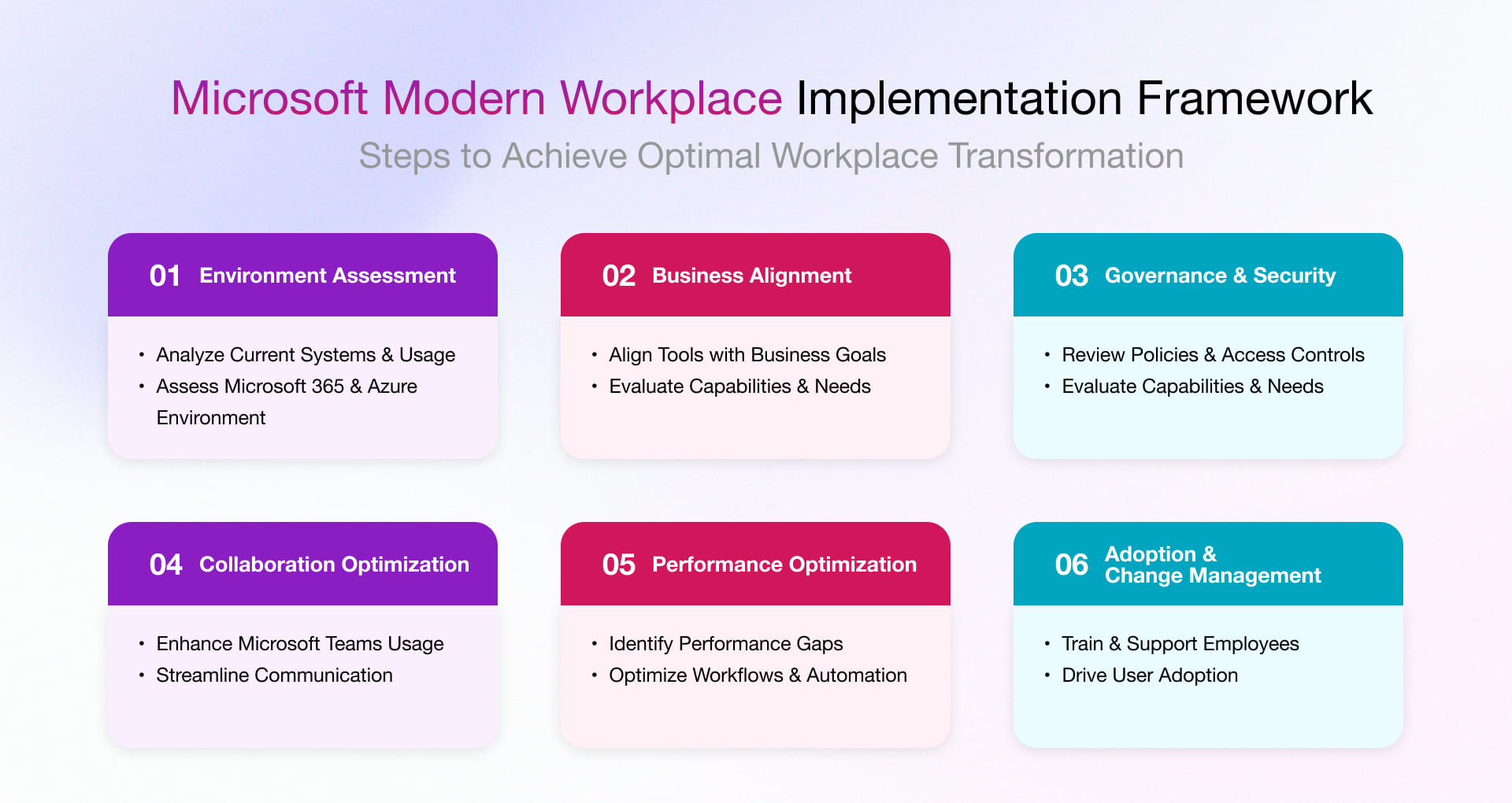
- Comprehensive Environment Assessment
Review the current Microsoft 365 setup, licenses, security, and tool usage. This helps identify gaps, risks, and areas to improve before starting anything new. - Business Alignment & Capability Review
Map tools to business needs and workflows. Identify which teams lack support, which processes can be automated, and where better control is needed. - Governance & Data Security Evaluation
Assess data access rules, compliance setup, and Teams/SharePoint governance. Then improve or define policies that align with business and risk requirements. - Microsoft Teams Collaboration Effectiveness Analysis
Review how teams use Microsoft Teams, including channels and meetings. Identify issues, fix gaps, and improve communication and visibility across teams. - Performance Gaps & Optimization Opportunities
Measure productivity, license usage, and IT costs against industry standards. Then define a clear plan to improve performance and deliver business value. - User Adoption & Change Enablement Strategy
Design a simple training and change plan to help teams start using the platform from day one and continue using it effectively over time.
Rishabh Software: Transforming the Modern Workplace with Microsoft-Certified Excellence
We are a Microsoft Solutions Partner with a designation for Modern Work, helping organizations move beyond tool adoption to fully governed, secure, and productivity-driven modern workplace environments. With over two decades of enterprise technology experience, we serve enterprises across industries by improving collaboration, strengthening security, and driving measurable productivity outcomes.
With more than 15 years of Microsoft-backed expertise, we cater to:
- Microsoft 365 implementation
- Teams governance and collaboration strategy
- SharePoint knowledge management
- Power Platform automation
- Endpoint and device management
- Security and compliance configuration
- AI-powered productivity using Copilot
Our implementation methodology combines technical expertise with structured governance and change enablement to ensure the sustainable adoption of Microsoft modern workplace technologies. With years of proven Microsoft technology expertise, structured implementation frameworks, and enterprise delivery experience, we enable organizations to transform their workplaces into collaborative, productive digital ecosystems.
Frequently Asked Questions
Q. How does Microsoft 365 help with modern workplace productivity?
A. Microsoft 365 consists of collaboration, document management, communication and automation tools in a single ecosystem. It allows teams to work efficiently, access information securely, and streamline workflows.
Q. What do high-performing enterprises do differently with Microsoft Modern Workplace?
A. High-performing enterprises implement governance policies, standardize collaboration tools, enable automation, and invest in employee training to ensure platform adoption.
Q. Why does intelligent productivity require a structured Microsoft environment?
A. A structured environment is where tools are governed, integrated, and aligned with business workflows. It enables organizations to improve productivity while maintaining security and compliance.
Q. Can Microsoft Modern Workplace be customized for my business?
A. Yes, it can be customized to include configuring Microsoft tools, workflows, governance policies, and integrations depending on the organization’s requirements, industry compliance, and collaboration models.
Q. How does Microsoft Copilot fit into the modern workplace?
A. Microsoft Copilot acts as an AI assistant embedded across Microsoft 365 for drafting documents in Word, summarizing meetings in Teams, analyzing data in Excel, and automating routine tasks across apps. It enables employees to focus on judgment-intensive, strategic work.
Q. How can SMEs benefit from Microsoft Workplace solutions?
A. SMEs obtain access to enterprise-level collaboration, secure cloud storage, workflow automation, and scalable IT infrastructure without significant upfront investment.
Q. How do large enterprises maximize ROI from Microsoft 365?
A. Enterprises maximize ROI by implementing governance frameworks, optimizing licensing, enabling automation with Power Platform, and driving strong user adoption across departments.
Q. How does automation using Power Platform enhance business efficiency?
A. Power Platform initiates automation of repetitive tasks, digitize workflows, and develops low-code apps, reducing manual effort and improving operational efficiency.
Q. What metrics should organizations track to measure Microsoft 365 productivity gains?
A. Key metrics include: collaboration frequency (Teams activity, co-authoring rates), document sharing efficiency, workflow automation adoption rates, Microsoft Copilot usage, employee engagement scores, and reduction in manual operational task volume.