You have already built a strong data foundation. Your teams are collecting the right data, investing in analytics, and using insights to guide decisions. According to a recent Statista survey, it is projected to reach 394 zettabytes globally by 2028. The challenge isn’t about doing more; it’s about making what you already have work smarter, faster, and more consistently across your enterprise.
This is where the next level begins. Modern data warehouse tools don’t disrupt your progress; they strengthen it. It brings your data together, removes friction across systems, and gives every team a reliable, real-time view to act with confidence.
If you are looking to elevate your data capabilities from strong to truly scalable and insight-driven, this blog is all about how to make it happen. Let’s explore how you can unlock that next layer of value.
Here’s what this informative piece of content covers:
- Why modern data warehouse software matters today.
- Key features every platform should have
- Factors to evaluate before you decide.
- A breakdown of the top tools available
Why Use Data Warehouse Tools?
Data warehouse tools are designed to help enterprises of any size store, manage, and analyze large volumes of data from multiple sources. They offer several benefits, including:
- Improved Data Management: Get a centralized repository for an enterprise’s data, making it easier to manage and access data from various sources.
- Faster Data Analysis: Enable enterprises to perform complex queries on large data sets quickly and efficiently, improving decision-making processes.
- Enhanced Data Quality: Ensure data consistency and accuracy by cleaning, transforming, and consolidating data from various sources.
- Better Data Integration: Facilitate data integration from various sources, including structured and unstructured data, enabling enterprises to gain a more comprehensive view of their operations.
- Scalability: Handle large volumes of data and can scale as an enterprise’s data needs grow.
Overall, cloud data warehouse tools help enterprises improve data management, accelerate decision-making processes, enhance data quality, and gain a more comprehensive view of their operations.
Must Have Data Warehouse Tools Features You Shouldn’t Compromise On
Choosing a data warehouse tool is a crucial decision as it helps create a report your executives trust, a model your data scientists build, and every decision your enterprise makes. Despite criticality, most teams analyze data warehouse software at a surface level and face challenges once it goes live. But not anymore! The following data warehouse tools features are what every tool should have. Our list covers every single feature that makes them the top choice globally.
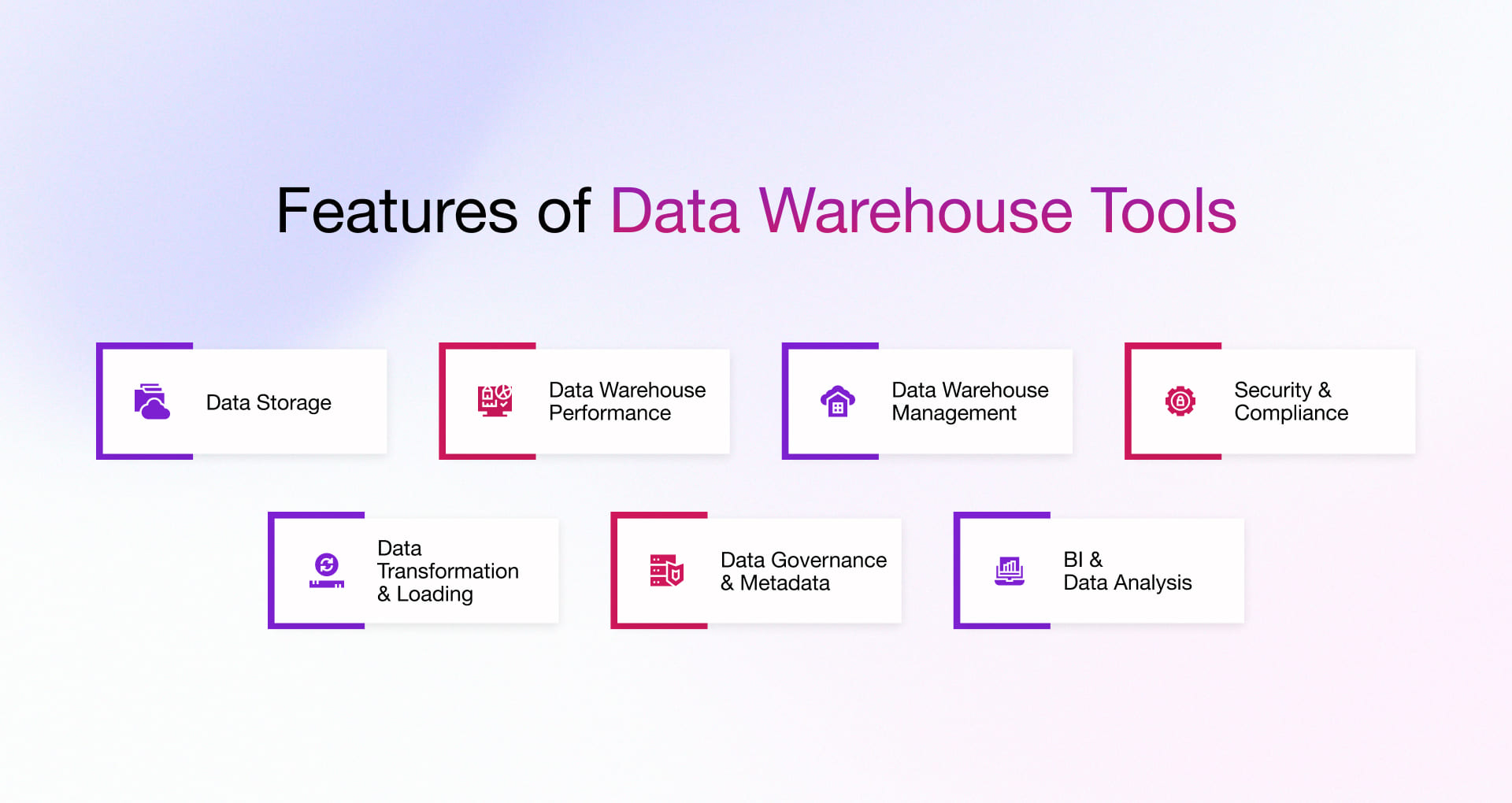
Data Storage
Enterprise-level warehouses run on columnar storage architecture that undertakes analytical reads across billions of rows with aggressive compression. Besides, ingesting structured, semi-structured, and unstructured data without upstream transformation is essential. Also, storage scalability according to data volume without re-architecture, no downtime, and no ceiling is highly preferable.
Data Warehouse Performance
Performance remains a top priority for any data warehouse platform. Massively Parallel Processing (MPP) distributes queries across nodes, offering outcomes in seconds, irrespective of data volume. Operations teams expect flexibility to scale power independently, for which compute and storage separation is essential, as it becomes critical for enterprises with variable and unpredictable workloads. While choosing the data warehouse tools, query optimization, result caching, and workload isolation are also critical aspects, as they maintain consistent performance across concurrent users without runaway costs.
Data Warehouse Integration and Management
Data warehouse integration is absolutely necessary. Native connectors to leading ETL/ELT platforms eliminate the need for custom engineering. API and SDK support extend that flexibility to proprietary pipelines and product-embedded use cases. Ideally, data warehouse tools should support both batch and real-time ingestion as operational decisions rely on demand analytics measured in minutes and not overnight jobs.
Security & Compliance
Having demand role-based access control embedded at the column and row levels and end-to-end encryption at rest and in transit is non-negotiable. For regulated industries, out-of-the-box compliance with GDPR, HIPAA, and SOC 2 removes significant implementation risk. Having automatic Tamper-proof audit logging provides compliance, legal, and security teams with a verifiable record without manual intervention.
Data Transformation & Loading
For analytics, raw data needs to be structured. Warehouse tools must support ELT-first pipelines, transforming data inside the warehouse using its own compute not before ingestion. Native dbt compatibility enables modular, version-controlled transformation logic scales with team size. Incremental loading keeps pipelines efficient by processing only new or modified records. Schema evolution support ensures no pipeline breakage even if the upstream source systems change.
Data Governance & Metadata Management
Ungoverned data creates a mess. With in-built data catalog and document lineage, ownership, and field-level definitions distinguishes data platforms from table collection platforms. column-level lineage tracking is critical for audit readiness and debugging broken reports. Automated data quality tracking identifies anomalies and policy-driven access management enforces governance rules at the platform level.
Enterprise Intelligence & Data Analysis
Certified integrations with Power BI, Tableau, and Looker must function without data movement or duplication. With SQL-first interface, the platform should be operable by analysts without engineering dependency. Native ML and statistical functions bring computation to the data, eliminating the extract-and-analyze pattern that consumes hefty time of data science teams.
How We Evaluate Data Warehousing Tools for Modern Data Teams
Not every data warehouse tool fits every enterprise. To make the right choice, modern data teams should evaluate solutions based on scalability, integration, security, cost, and analytics capabilities. Focusing on these factors ensures the platform can support both current needs and future data growth while enabling insight-driven decisions.
- Data Volume and Complexity: Consider the size and complexity of your data. A large, complex data set requires a more robust, scalable data warehouse tool.
- Integration Capabilities: Consider the integration capabilities of the tool. It should be able to integrate with various data sources and formats, including structured and unstructured data.
- Performance and Scalability: Performance and scalability are important factors to consider. The tool should handle large volumes of data without degrading performance as the volume increases.
- Security and Compliance: Data security and compliance are critical, especially if the data contains sensitive information. The tool should have adequate security features and comply with relevant regulations.
- Cost: Consider the total cost of ownership, including licensing, support, and maintenance fees, when selecting a data warehouse tool.
- User Interface and Ease of Use: Consider the tool’s user interface and ease of use. It should have a user-friendly interface and be easy to learn and use.
- Analytics Capabilities: Consider the analytics capabilities of the tool. It should have built-in analytics features and support for various analytics tools.
- Vendor Support: Consider the level of vendor support and the availability of documentation, training, and community support.
Considering these factors, a cloud services partner can help you select the data warehouse tool that best suits your enterprise’s needs.
Top 10 Cloud Data Warehouse Tools
Enterprises have begun adopting cloud-native and hybrid data warehouse platforms for their real-time analytics, scalability, and AI-driven insights. Though cloud-based data warehousing products are increasing, certain enterprises still rely on on-premises solutions due to regulatory, legacy, or performance constraints.
Below is a curated list of leading data warehouse tools, categorized by where each delivers the most value.
Top Cloud Data Warehouse Tools
Amazon RedShift
Amazon Redshift is a fully managed cloud data warehouse designed for large-scale analytics, enabling enterprises to run complex queries on structured and semi-structured data with high performance.
Enterprise Benefits:
- Massively parallel processing (MPP) architecture, enabling fast query execution on large datasets.
- Columnar storage, reducing data scan costs and improving query efficiency.
- Integration with Amazon S3 (Redshift Spectrum), allowing direct querying of data lakes without duplication.
- Automated scaling and workload management, ensuring consistent performance under varying workloads.
- Integration with AWS ecosystem, simplifying data pipelines and analytics workflows.
- Advanced security features, ensuring compliance and data protection.
| Best for |
|
| Avoid if |
|
| Hidden cost |
|
| Vendor Lock-in |
|
| Cost |
|
Amazon Athena
Amazon Athena is a serverless query service that allows enterprises to analyze data directly in Amazon S3 using SQL, without managing infrastructure.
Enterprise Benefit:
- Serverless architecture, eliminating infrastructure management and reducing operational overhead.
- Query data directly from S3, removing the need for data loading and duplication.
- Pay-per-query pricing model, helping control costs for sporadic workloads.
- Integration with AWS Glue, simplifying metadata management and data cataloging.
- Standard SQL support, enabling easy adoption by analytics teams.
- Scalable performance, handling large datasets without provisioning resources.
| Best for |
|
| Avoid if |
|
| Hidden cost |
|
| Vendor Lock-in |
|
| Cost |
|
Amazon EMR
Amazon EMR is a managed big data platform used for processing large-scale data using frameworks like Spark and Hadoop, often complementing data warehouse solutions.
Enterprise Benefit:
- Support for big data frameworks (Spark, Hadoop), enabling large-scale data processing and transformation.
- Integration with S3 and Redshift, supporting end-to-end data pipelines.
- Scalable cluster-based architecture, handling varying workloads efficiently.
- Flexible configuration options, allowing customization based on workload needs.
- Cost optimization features (spot instances), reducing infrastructure costs.
- Support for real-time and batch processing, enabling diverse analytics use cases.
| Best for |
|
| Avoid if |
|
| Hidden cost |
|
| Vendor Lock-in |
|
| Cost |
|
Azure Synapse Analytics
Azure Synapse Analytics is a unified analytics platform that combines enterprise data warehousing with big data processing for end-to-end analytics.
Enterprise Benefits:
- Integration with multiple data sources, enabling centralized analytics across enterprise units.
- Built-in data ingestion and transformation, reducing dependency on external ETL tools.
- Scalable storage (rowstore + columnstore), supporting diverse workloads efficiently.
- Advanced query optimization features, ensuring consistent performance for complex queries.
- Integration with Azure ML, enabling predictive analytics within the platform.
- Fine-grained access control, ensuring secure and governed data access.
| Best for |
|
| Avoid if |
|
| Hidden cost |
|
| Vendor Lock-in |
|
| Cost |
|
Azure Databricks
Azure Databricks is a Lakehouse platform that combines data engineering, analytics, and machine learning capabilities on top of Apache Spark.
Enterprise Benefits:
- Unified analytics and AI platform, enabling end-to-end data workflows.
- Spark-based processing, handling large-scale data efficiently.
- Integration with Azure ecosystem, simplifying data pipelines.
- Collaborative workspace, improving team productivity.
- Support for multiple languages, enabling flexibility across teams.
- Optimized performance with Delta Lake, improving reliability and speed.
| Best for |
|
| Avoid if |
|
| Hidden cost |
|
| Vendor Lock-in |
|
| Cost |
|
Snowflake
Snowflake is a cloud-native, widely used for data warehousing due to its efficient scalable analytics, allowing enterprises to collect, process, and evaluate voluminous structured and semi-structured data with minimal operational overhead.
Enterprise benefits:
- Separate compute and storage for independent scaling enabling teams to optimize performance without overspending on unused resources.
- Native support for structured and semi-structured data, removing the dependency for complex data transformation before analysis.
- Secure data sharing across enterprises, enabling real-time collaboration without duplicating data.
- Multi-cloud support, minimizing vendor dependency and improving deployment flexibility.
- Automatic query optimization and caching, ensuring consistently fast performance with minimal manual tuning.
- Role-based access and encryption, empowering data security, and compliance.
- Usage-based pricing model, helping align costs directly with actual consumption.
| Best for |
|
| Avoid if |
|
| Hidden cost |
|
| Vendor Lock-in |
|
| Cost |
|
Microsoft Fabric Warehouse
Fabric represents Microsoft’s push toward a unified analytics platform, tightly integrated with Power BI. It reduces fragmentation across tools but can create ecosystem lock-in.
| Best for |
|
| Avoid if |
|
| Hidden cost |
|
| Vendor Lock-in |
|
| Cost |
|
Firebolt
Firebolt is built for speed-first analytics. It uses indexing and caching aggressively to deliver sub-second query performance, especially for user-facing analytics applications.
The trade-off is that it requires more intentional data modeling compared to plug-and-play systems.
| Best for |
|
| Avoid if |
|
| Hidden cost |
|
| Vendor Lock-in |
|
| Cost |
|
Top On-Premises Data Warehouse Tools
Vertica
Vertica is optimized for high-performance, read-heavy analytics. Its columnar design makes it efficient, but it requires skilled tuning and management.
| Best for |
|
| Avoid if |
|
| Hidden cost |
|
| Vendor Lock-in |
|
| Cost |
|
Yellow brick Data
Yellow brick positions itself as a modern alternative to legacy warehouses, combining on-prem performance with cloud-like elasticity.
It is compelling for enterprises that want to modernize without fully migrating to the cloud.
| Best for |
|
| Avoid if |
|
| Hidden cost |
|
| Vendor Lock-in |
|
| Cost |
|
Core Components of Cloud Data Warehouse Software & Tools
A cloud data warehouse is built on several core components that work together to manage, process, and analyze data efficiently. Understanding these elements such as data varied deployment options, data storage, integration, performance, and security and compliance helps teams evaluate how well a solution supports the enterprise.
Deployment Options
A tech partner will help you deploy the data warehouse on-premises or on a Cloud platform. You can utilize a public, private, multi-cloud or hybrid cloud deployment environment. This read will help you understand the different cloud deployment models.
If you are using AWS, the following tools will help with cloud deployment:
- AWS CloudFormation enables collecting, provisioning & managing AWS & third-party resources.
- AWS Code Deploy automates deployments, minimizes downtime, and centralizes management.
- AWS Elastic Beanstalk deploys & scales web apps, automatically handles infrastructure & scalability.
- AWS Elastic Container Services (ECS) helps with schedule, monitor & scale containers.
- AWS Elastic Kubernetes Service (EKS) helps to run Kubernetes on Amazon without installing or maintaining control planes.
If you are using Microsoft Azure, the following tools will be helpful for deployment:
- Azure DevOps practices & solutions throughout application planning, development, delivery & operations.
- Azure DevOps Pipeline helps build & deploy applications faster on any platform.
- Kubernetes on Azure service optimizes Kubernetes deployments with real-time personalized recommendations.
- Azure Resource Manager helps deploy & organize resources, repeat deployment tracks, and provide control access.
- Visual Studio helps create highly secure applications optimized for the cloud.
Data Integration
Data integration is a part of cloud integration in the data warehouse development process. At this stage, the DWH requires features like data processing with ETL (Extract, Transform, Load) or ELT (Extract, Load, Transfer), data extraction, data loading, data ingestion, streaming data ingestion, Big Data ingestion.
If you are using AWS, the following tools will specifically help with data integration:
- AWS Glue helps extract, cleanse & consolidate data on a scale and integrate data with methods like ETL, ELT, batch & streaming.
- AWS Data Pipeline helps process & move data between AWS compute & storage services & on-premises data sources.
- Amazon Athena helps analyze data or build apps from an Amazon S3 data lake & 210+ data sources, including on premises.
- Amazon Kinesis helps ingest, buffer & process streaming data in real time to deliver insights within minutes or even seconds.
- Amazon EMR enables ETL processes and real-time data streaming for ML (Machine Learning) workloads.
If you are using Microsoft Azure, the following tools will be helpful for data integration:
- Logic Apps connects hundreds of cloud & on-premises services by creating workflows & orchestrating enterprise processes.
- Azure Functions helps execute event-driven serverless code functions & solve complex orchestration problems.
- Azure Data Factory simplifies hybrid data integration with 90+ built-in connectors to manage data pipelines & support workflows.
- Service Bus implements highly secure messaging workflows by connecting cloud-based & on-premises applications.
- Event Grid helps route all events from any source to any destination & simplifies event-driven & serverless app development.
Data Storage
Data warehouse solutions require different storage facilities/features like subject-oriented data storage, Metadata storage, granular data storage, storage for historical data, non-volatile data storage with read-only access,
If you are using AWS, the following tools will specifically help with data storage:
- Amazon Simple Storage Service (S3) helps securely store & retrieve any amount of data from anywhere.
- Amazon Elastic File System (EFS) enables easy file data sharing without managing storage.
- Amazon FXs has fully managed file storage providing high performance & capabilities.
- Amazon Elastic Block Store (EBS) is a block storage service for transaction-intensive & throughput workloads.
- Amazon File Cache accelerates workloads on the cloud with high-speed cache for data stored anywhere.
If you are using Microsoft Azure, the following tools will be helpful for data storage:
- Azure Storage Explorer helps read & edit the stored data and creates & manages Azure Storage Blobs, queues & tables.
- Azure Explorer manages the operations & scalability of Azure Storage Blob data sets.
- Azure Command-Line Interface (CLI) helps to execute administrative commands on Azure resources & manage them.
- AzCopy Tool helps to copy files or blobs to or from an Azure storage account.
- Azure Storage Metrics helps visualize analytics data with data insights into your blob, table & queue traffic.
Performance
To ensure high performance, data warehouse software should have features/capabilities like massively parallel processing, data searching efficiencies for result-caching, data indexes, materialized view support, and Machine Learning for managing concurrency & performance.
If you are using AWS, the following tools will specifically help enhance DWH performance:
- Amazon Redshift adds transient capacity as concurrency increases & supports unlimited concurrent users & queries.
- AWS ParallelCluster helps deploy and manage High Performance Computing (HPC) clusters on AWS.
- Amazon Kendra helps monitor the progress & success of synchronization between index & data sources.
- Amazon Glue improves query performance using partition indexes & accelerates query engines.
- Amazon CloudSearch automatically indexes document updates to the domain & provides new data for search.
If you are using Microsoft Azure, the following tools will help enhance DWH performance:
- Azure Monitor provides end-to-end observability of apps, infrastructure & network.
- Azure Synapse Analytics supports massive parallel processing and is suitable for running high-performance analytics.
- Azure Data Lake Analytics helps develop and run massively parallel data transformation and processing programs.
- Azure Databricks helps build Artificial Intelligence (AI) solutions & unlock insights from your data.
- Azure Functions have a dynamic concurrency feature that simplifies configuring concurrency for function apps.
Security & Compliance
Cloud data warehouse software should have security features like data encryption, user authentication & authorization for data access, row & column-level fine-grained access control, etc. It should also comply with applicable regulations.
If you are using AWS, the following tools will specifically help enhance DWH performance:
- AWS Security Hub monitors security, detects security best practices deviations, and automates remediation.
- AWS Identity and Access Management (IAM) provides fine-grained control over AWS cloud workflows.
- AWS Web Application Firewall protects web apps and APIs from malicious traffic & attacks.
- AWS CloudTrail monitors & records user activity & gives control over storage, analysis & remediation actions.
- AWS Secrets Manager helps manage, retrieve & rotate secrets like API keys, database credentials.
If you are using Microsoft Azure, the following tools will help enhance DWH performance:
- Azure Active Directory provides features like multi-factor authentication, conditional access, identity protection, etc.
- Azure Role-based Access Control (RBAC) provides fine-grained access management of Azure resources.
- Azure Key Vault safeguards encrypted keys, passwords & other secrets used by cloud services & apps.
- Azure Firewall analyzes traffic, provides alerts & denies traffic to or from malicious sources in real time.
- Azure Distributed Denial of Service (DDoS) Protection safeguards resources & automates monitoring & remediation.
How Does Rishabh Software Help You Choose & Implement the Right Data Warehouse Tool?
We take an enterprise-first approach to choosing the right data warehouse tool, focusing on long-term value rather than one-size-fits-all recommendations. We offer data warehouse consulting services under which our team evaluates critical factors in your enterprise, including data volume and complexity, evolving analytics use cases, existing cloud ecosystems, and cost-performance trade-offs. Backed by proven expertise as a Microsoft Azure partner and AWS Select Tier Services Partner, we help enterprises confidently adopt platforms such as Azure Synapse Analytics and Amazon Redshift while designing architectures that fully leverage native cloud capabilities and avoid costly missteps.
Beyond selection, we deliver end-to-end data warehouse implementation with a strong focus on ROI and scalability. From data architecture design and legacy migration to pipeline development, performance tuning, and cost optimization, every step is aligned with enterprise outcomes. The approach emphasizes building scalable, future-ready architectures. It supports hybrid and multi-cloud environments along with robust governance frameworks. This enables accurate data quality, robust security, and sustained growth.
Frequently Asked Questions
Q: When should a company invest in a data warehouse?
A: company should invest in a data warehouse when:
- Data is spread across multiple systems, such as CRM, ERP, and SaaS tools
- Inconsistent reporting across teams
- Delayed decision-making due to data access issues
Modern enterprises adopt data warehouses because increasing data complexity demands unified, analytics-ready data.
Q: What are the biggest challenges in implementing a data warehouse?
A: The biggest challenges are strategic and operational as it involves:
- Maintaining consistency and quality
- Controlling cost over time
- Handling scalability and performance
- Controlling cost over time
Q: Why do data warehouse projects fail despite choosing the right tool?
A: Most projects fail not due to the tool but due to:
- Poor data modeling and design
- Lack of governance and access control
- Neglecting data quality issues
- Misalignment with enterprise KPIs
Even the best tools cannot compensate for unclear data ownership or weak strategy.