
60% of BI initiatives never scale beyond pilot projects. Most get stuck because of weak governance and poor licensing decisions. For large enterprises, that can mean millions lost every year.
Five years ago, implementing Power BI meant rolling out dashboards. In 2026, it means building a governed analytics operating system. Between data residency regulations, AI-assisted analytics, hybrid architectures and the rise of Microsoft Fabric, the implementation question has changed from “How do we visualize data?” to “How do we industrialize insight?”
This guide gives CIOs, data heads, and IT teams a clear Power BI implementation project plan to scale from dozens to hundreds of users. It moves past basic charts to help you master licensing, governance, and Microsoft Fabric. If you want to stop making simple pie charts and start turning data into measurable business value, this is where you begin!
Why Strategy Matters Before Power BI Implementation
Many enterprises install Power BI like software. They don’t design it as a business capability. That mistake leads to the same outcome. Expensive capacity sits idle, dashboards show conflicting numbers and users go back to spreadsheets.
Before anyone writes DAX, leadership must define a clear direction.
Where Power BI Projects Fail
Most failures follow the same patterns.
- No data governance: Teams define metrics in different ways due to which reports conflict, trust drops and people stop using the platform.
- No semantic layer strategy: Analysts build separate datasets and over time, they drift apart resulting in increased maintenance costs.
- Wrong licensing: Some teams overpay for capacity they do not need while others hit limits after launch. Both waste money.
- Too many dashboards: Teams publish dozens of reports without testing real needs. A few trusted reports drive more value than a large, messy catalog.
- No adoption plan: The system works; the people ignore it. In the absence of training and change management, usage stalls.
Know Your BI Maturity Level
Before you start implementing Power BI, you need to know where you currently stand. Every level has a different operating model, funding model, level of governance, and change management approach. If you misjudge your level, you will overinvest in tools and underinvest in foundations. Below is an expanded BI maturity model, including an additional level that many high-performing enterprises are now targeting.
| Level | Stage | What It Looks Like | Core Risk | What’s Needed Next |
| 100 | Reporting Chaos | Data lives in spreadsheets and siloed systems. Reports are manual. Numbers don’t match. No single source of truth. | Executive distrust. Shadow reporting. Decision delays. | Central data strategy and executive sponsorship. |
| 200 | Departmental BI | Teams build their own dashboards and datasets. Tools vary. Definitions differ. Progress exists, but standards don’t. | Metric inconsistency. Duplicated models. Rising license costs. | Shared datasets and lightweight governance. |
| 300 | Governed Enterprise BI | Certified datasets power cross-team reporting. Governance group defines metrics. Data catalog supports discovery. | Governance fatigue. Slow change cycles. | Scalable platform architecture and automation. |
| 400 | AI-Augmented Analytics | Natural language queries. Automated anomaly detection. Predictive models inform decisions. | AI built on unstable foundations. Trust gaps in models. | MLOps discipline and data quality monitoring. |
| 500 | Data-Driven Operating Model | Analytics is embedded into workflows. KPIs trigger actions. Decisions are measurable and repeatable. Data guides strategy. | Complacency. Innovation slowdown. | Continuous optimization and experimentation culture. |
Most organizations entering a Power BI modernization program operate between Level 100 and Level 200. Disciplined 90-day Power BI implementation planning should aim to reach Level 300 :
- Certified datasets
- Governance charter
- Defined ownership
- Secure access model
Only after Level 300 is stable should you scale toward AI capabilities.
If you attempt Level 400 or 500 without governance maturity, adoption will stall and the initiative will lose executive backing.
Bonus Tip : For organizations moving from platforms like Qlik Sense Cloud, the strategy phase is the time to audit existing logic. A successful implementation does not simply reuse old reports but re-engineers data models into a clean, star schema optimized for Power BI to minimize technical debt.
Power BI Licensing and Capacity Planning in 2026
Licensing decisions drive cost, scale, and performance, and should be carefully planned early on. Microsoft is constantly refining their model, particularly with the announcement of Microsoft Fabric. Always confirm current pricing and limits in official Microsoft documentation.
License Types Explained for 2026
1. Power BI Pro: This entry license allows users to publish and share reports. It suits small teams, usually under 100 users, where datasets remain modest in size. Consumers also need a Pro license.
2. Premium Per User: Power BI Premium Per User provides additional features such as support for paginated reports, deployment pipelines, AI insights, and higher refresh limits.
3. Fabric Capacity: Microsoft Fabric Capacity runs on capacity-based pricing. It combines BI, data engineering, and analytics into a single platform. It is suitable for enterprises that have large datasets, several business units, and complex workloads.
4. Power BI Embedded: Power BI Embedded allows you to display reports directly in your custom applications. End users do not need individual licenses. Pricing is capacity-based, which works well even at scale.
Capacity Planning Framework
Choosing the right license is only step one. You must size it correctly.
- Data size: Measure current dataset size and project growth for two years. Exceeding memory limits will cause refresh failures.
- Concurrency: Estimate peak users. A setup that supports 20 users may struggle at 200. Load test before launch.
- Refresh frequency: Frequent refreshes consume capacity so align business freshness needs with your capacity budget.
- Model design: Poor semantic models waste memory and slow down queries. Compression, relationships, and measure design – all matter.
When to Move to Microsoft Fabric
Three signs show you have outgrown standalone Power BI:
- Data engineering needs exceed what basic connectors and dataflows can handle.
- You manage multiple analytics tools with separate governance and billing.
- Leadership wants a unified, cloud-first data platform.
Microsoft Fabric is not separate from Power BI. It is becoming the enterprise foundation for it. Organizations that plan for Fabric early are in a better position to scale with fewer disruptions later. For a practical look at how a unified analytics platform supports modern BI strategies, explore this blog on Microsoft Fabric and data analytics.
Power BI Implementation Roadmap
A 90-day Power BI Implementation plan drives adoption and real value. Skip phases initially and you rebuild later!
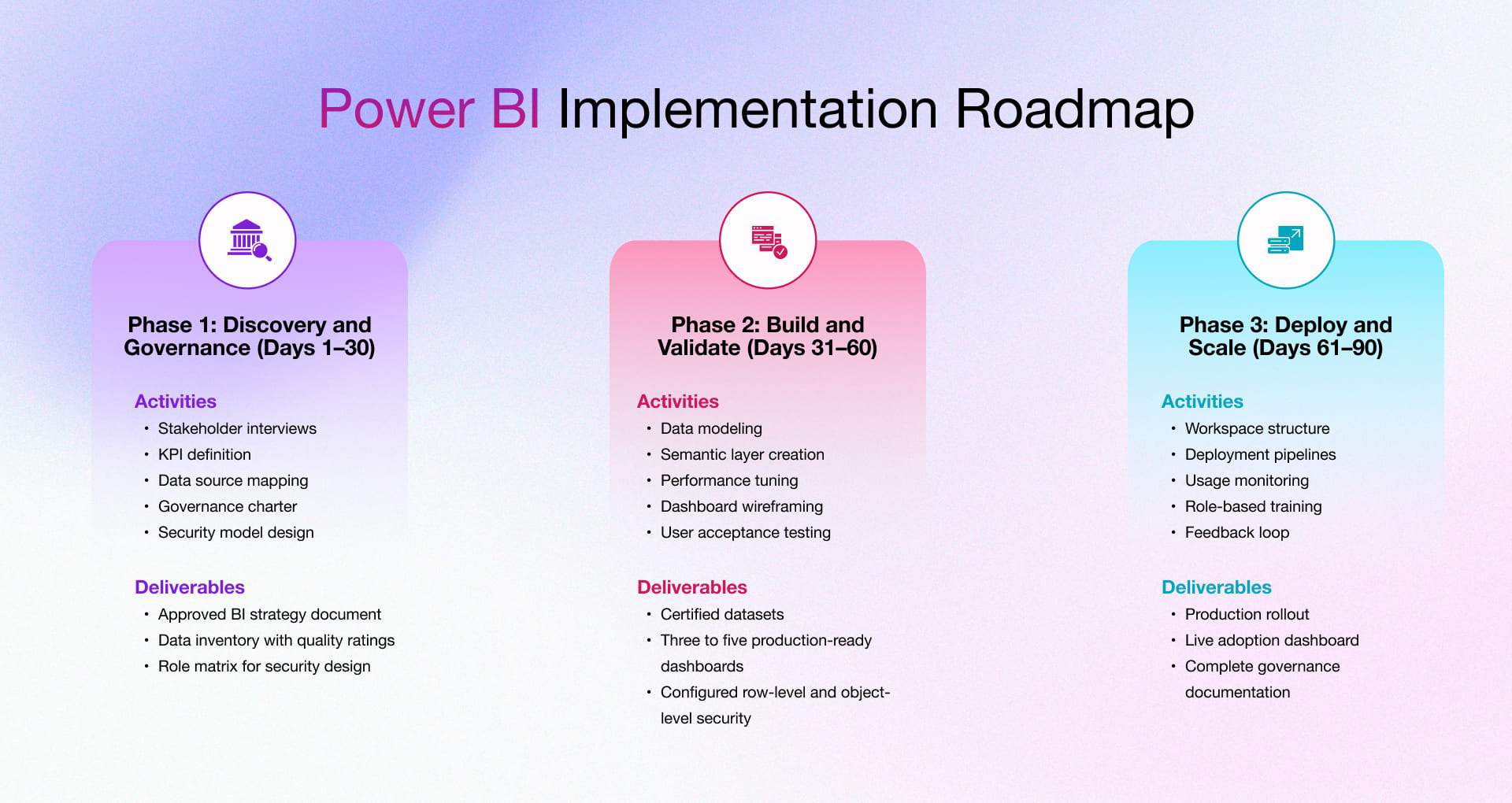
Phase 1: Discovery and Governance (Days 1–30)
Focus on the business before the tool. Teams that rush this step fix mistakes for months.
Key activities
- Stakeholder interviews: Talk to sponsors, data owners, and users. Identify the 10 to 15 decisions they want to improve.
- KPI definition: Define each metric clearly. Document the formula, source system, refresh need and business owner.
- Data source mapping: List all source systems. Note connection methods and data quality gaps.
- Governance charter: Define who can publish. Set rules for promoted and certified datasets. Lock naming standards.
- Security model design: Map roles to row-level and object-level security before building datasets.
Phase 1 deliverables
- Approved BI strategy document
- Data inventory with quality ratings
- Role matrix for security design
Phase 2: Build and Validate (Days 31–60)
Now turn strategy into trusted models and dashboards.
Key activities
- Data modeling: Use star schema design and keep fact tables clean and granular. Use clear dimension tables.
- Semantic layer creation: Build shared, certified datasets. This prevents conflicting metrics.
- Performance tuning: Test query speed and refactor slow measures. Aim for responses under two seconds.
- Dashboard wireframing: Design layouts with stakeholders before building. Get sign-off early.
- User acceptance testing: Run at least two UAT cycles with real users. Fix issues before production.
Phase 2 deliverables
- Certified datasets
- Three to five production-ready dashboards
- Configured row-level and object-level security
Phase 3: Deploy and Scale (Days 61–90)
Shift from project to operational capability.
Key activities
- Workspace structure: Organize by domain such as Finance, Operations and Marketing. Assign clear owners.
- Deployment pipelines: Set up dev, test, and production stages. Control promotions to production.
- Usage monitoring: Track active users, report views, refresh success, and performance. Measure adoption.
- Role-based training: Train authors, consumers, and admins separately. Targeted training increases usage.
- Feedback loop: Create a formal process for report requests and data issue tracking.
Phase 3 deliverables
- Production rollout
- Live adoption dashboard
- Complete governance documentation
If you follow these proven Power BI implementation steps, you can move from scattered reporting to a governed and scalable BI capability in just 90 days. Your internal team can then run and expand it with confidence.
Power BI Implementation Checklist
Use this Power BI implementation project plan to assess implementation readiness at each stage of your rollout. The target state for a successful 90-day program is all items checked before closing Phase 3.
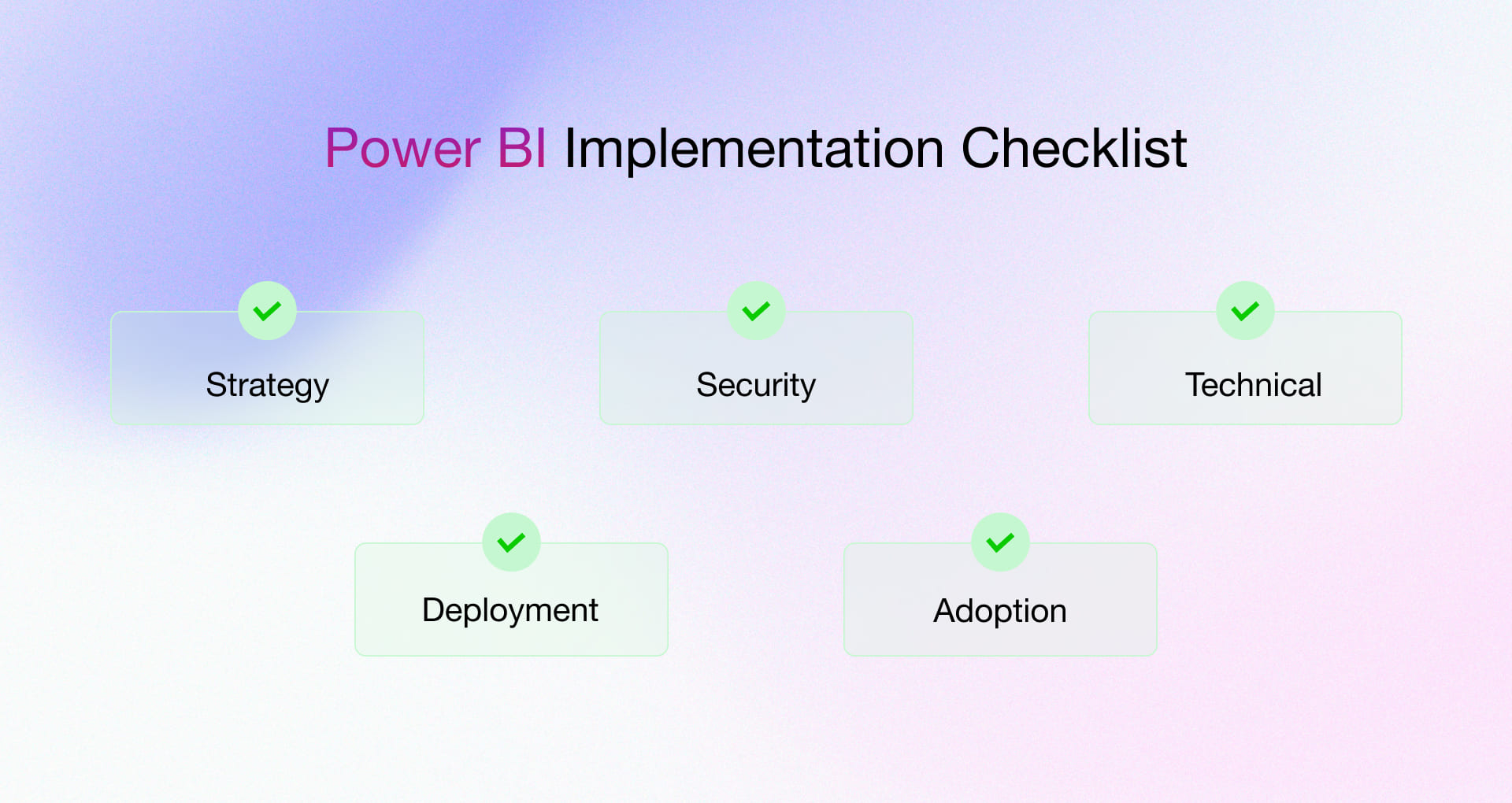
1. Strategy
- BI roadmap documented and approved by executive sponsor
- Governance model established with clear standards for dataset certification, naming conventions, and workspace ownership
2. Security
- Row-level security and object-level security policies deployed and user acceptance tested
- Sensitivity labels configured and integrated with Microsoft Purview for data loss prevention
3. Technical
- All certified datasets built on star schema with average query response times below two seconds on production data volumes
- Incremental refresh configured for large datasets, with full refresh completing within five minutes
4. Deployment
- Development, test, and production deployment pipelines configured and operational
- Git-based CI/CD integration in place with selective deployment capability
5. Adoption
- 70% of licensed users actively accessing reports within 90 days of launch
- Fabric/Power BI monitoring dashboard live and reviewed weekly by BI program manager
Power BI Security and Compliance Requirements
Security and compliance shape your architecture from day one. Treat them as core design requirements. Every organization using Power BI at scale must address identity, access, data protection, and monitoring.
1. Security Layers in Power BI
A strong security model works across four layers:
- Row-Level Security (RLS): Row-Level Security limits which rows a user can see. You define rules in the semantic model using DAX. Test every role carefully. One mistake can expose sensitive data.
- Object-Level Security (OLS): Object-Level Security hides entire tables or columns. Use it to protect fields like salary or personal data without creating separate datasets.
- Data Loss Prevention (DLP): Microsoft Purview policies detect and restrict sharing of sensitive data. They help control exports and external access.
- Sensitivity Labels: Microsoft Information Protection labels classify reports and datasets by confidentiality. Labels stay attached even after export.
Together, these layers form a clear stack :
- Authentication with Entra ID and MFA
- Authorization with RLS and OLS
- Protection with sensitivity labels and Purview
- Monitoring with audit logs and log analytics
2. Compliance Alignment
Power BI includes controls that support major regulations:
- GDPR: Choose data residency. Support deletion requests. Label datasets that contain personal data.
- HIPAA: Use encrypted gateways. Apply sensitivity labels to protected health data. Control workspace access.
- SOX: Maintain audit logs. Track access changes. Record deployment pipeline updates.
- ISO 27001: Scan for vulnerabilities. Monitor compliance continuously.
3. Governance Operating Model
Tools alone do not protect data. Process matters.
- Dataset certification: Certify only datasets that pass data quality, security, and documentation reviews. Make certification meaningful.
- Change management: Review and approve all changes to certified datasets. Promote updates through dev and test before production.
- Version control: Connect Power BI files to Git. Track changes, support collaboration, and enable rollback when needed.
Strong governance keeps your security model effective over time.
Power BI ROI Calculator and Benchmarks
To win CFO approval, show clear financial impact. Focus on savings, payback, and risk reduction. Not features.
The ROI Equation
Use a simple formula: ROI = (Hours Saved × Hourly Rate × Number of Users) − Total Cost
Example using conservative numbers:
- 400 hours saved per month
- 100 users
- $75 fully loaded hourly rate
That equals $3 million in annual savings.
If implementing Power BI costs $75,000, the first-year return is about 40 times the investment. Even if you cut the savings in half, the case remains strong.
Tangible vs Intangible Returns
Tangible returns
These drive budget approval:
- Remove manual report building
- Speed up operational decisions
- Reduce time spent assembling data in finance and operations
Intangible returns
Harder to measure, but often more valuable:
- Better decisions from consistent, current data
- Fewer internal disputes over numbers
- Faster onboarding through self-service analytics
Industry Benchmarks
Typical results for organizations with 50 to 500 users and strong governance:
- Financial Services
Payback: 4 months
3-Year ROI: 450% - Manufacturing
Payback: 6 months
3-Year ROI: 366% - Retail and E-commerce
Payback: 5 months
3-Year ROI: 420%
Organizations that skip governance and rush dashboards capture far less value in year one.
Disclaimer:
The ROI calculations, examples, benchmarks, and metrics in this section are illustrative and educational only. They use generalized industry data and conservative, hypothetical assumptions (e.g., hours saved, rates, users, costs). Actual results vary widely based on your organization’s size, industry, governance, adoption, and other factors.
This is not financial advice, projections, or performance guarantees. Rishabh Software makes no warranties on accuracy or applicability. Consult qualified financial, technical, and legal experts before investing in Power BI or related solutions.
Success Metrics to Track
Track performance early:
- 70% active users within 90 days
- Average query time under two seconds
- 500+ manual reporting hours removed per month within six months
- Report error rate below 1% of total views
Measure adoption and savings from day one. That is what proves ROI.
The 2026 Shift: Migration vs. Modernization
For many organizations, the adoption of Power BI is not simply a new implementation but rather, a migration from existing environments such as Qlik Sense Cloud. In 2026, the goal isn’t just to move dashboards, but to modernize the data architecture, because Power BI is known for enabling data unification and driving business growth.
- Logic Mapping: Converting Associative Models to High-Performance Star Schemas.
- Cost Efficiency: Combining Licensing Costs via the Microsoft 365 Ecosystem.
- Performance Optimization: Utilizing DAX and Incremental Refresh to Handle Volumes Previously Constraining Legacy Tools.
Swift and smooth migration from legacy platforms requires extensive architectural knowledge; our specialized Microsoft Power BI Consulting Services can help you map complex Qlik logic into high-performance Power BI models.
Partner with Rishabh Software for Power BI Success
Many teams start Power BI with a productivity intent. Few build it to scale.
At Rishabh Software, we treat Power BI as a business capability, not a reporting tool. Our Power BI development services start with strategy. We design governance early and build models that last.
Engage us when:
- Your data spans on-prem, cloud, and SaaS platforms
- You operate in a regulated industry
- You plan to scale beyond 200 users
- You are migrating from legacy environments (e.g., Qlik, Tableau, or SAP) and need to ensure logic parity and performance optimization.
What We Deliver
- A phased roadmap that begins with discovery and governance
- Our specialists focus on Microsoft Fabric and Power BI to deliver secure, high-performance environments.
- Structured adoption programs driven by a thorough assessment of your current data state and migration requirements.
- Best-practice semantic layer design using DAX and star schemas
- Comprehensive support, SLA options, and knowledge transfer to ensure your team is self-sufficient.
If you need governed data, high adoption, and a hard-hitting ROI out of Power BI, connect with our consultants to transform raw data into actionable business growth and lasting success.
Frequently Asked Questions
Q: How do you set up Row-Level Security (RLS) in Power BI?
- Define roles with DAX filters in Power BI Desktop to limit data by user.
- Go to Modeling > Manage roles; add filters like [Region] = “North America” on tables.
- Test using View as option.
- Publish the report and assign users/groups in dataset Security in the service.
- For dynamic RLS, apply USERPRINCIPALNAME() in DAX with a user mapping table.
Q: What common challenges arise in Power BI deployment and their fixes?
- The Chaos Trap
- Challenge: You let teams create reports however they want. Everyone uses different rules. Reports become a mess nobody trusts.
- The Fix: Write down clear rules. Create separate workspaces for each team to stay organized.
- The Speed & Cost Issue
- Challenge: You pick the wrong licenses. Your reports run slow. You waste money on licenses you don’t need.
- The Fix: Choose the right mix of Pro and Premium licenses before you start. Check what you’re actually using each month.
- The Broken Data Problem
- Challenge: You let your data models grow wild without checking them. Your reports show wrong numbers. Errors slip into live reports.
- The Fix: Build your data the right way from the start. Test everything in a sandbox before you go live.
Q: What best practices drive successful Power BI rollouts?
- Define KPIs, assess data maturity, plan governance like RLS.
- Build scalable foundations using ETL pipelines, incremental refresh, optimized DAX.
- Deploy via pipelines for lifecycle management and catalog assets for reuse.
- Profile data for quality and target quick wins aligned to business needs and goals.