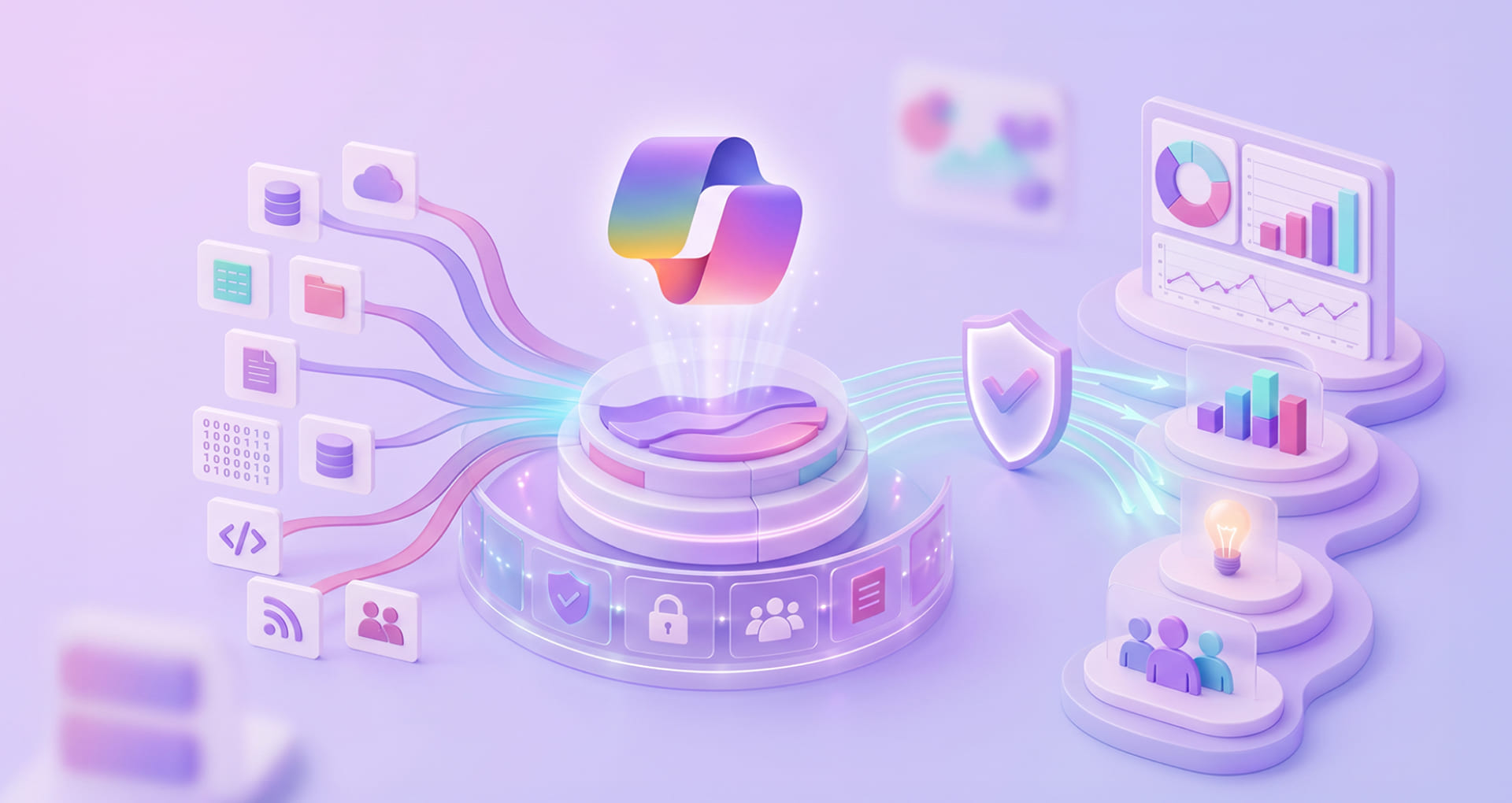

Microsoft Fabric and Copilot have evolved well beyond the initial 2024 launch narrative. In 2026, the value of Copilot in Microsoft Fabric is no longer AI-assisted features inside individual workloads; it is about how enterprises prepare data effectively, reduce analytics friction, improve decision latency, and scale governed self-service across teams.
The real question is not whether Copilot can generate code, queries, or reports; it is whether it can help internal teams shift from scattered data operations to a more efficient, governed, and outcome-oriented analytics model. Microsoft positions Copilot in Fabric as a generative AI assistive layer across multiple Fabric workloads, designed to support professionals who create, manage, and consume data products and analytics assets.
As a top-tier MS tech services provider and being official Microsoft CSP partner in India and the US, Rishabh Software help with Microsoft data and AI capabilities with measurable business outcomes. This blog discusses about how Microsoft Fabric Copilot impacts, who can use, how it works for your business, and benefits you can reap benefits for your business.
The Groundbreaking Impact of Microsoft Fabric Copilot
The impact of Microsoft Fabric is best understood as an AI-driven productivity and decision-support layer built on top of a unified analytics foundation. Rather than treating data engineering, data warehousing, BI, and real-time enterprise business intelligence as disconnected tasks, Copilot extends across Fabric workloads to reduce manual effort, boost analytical speed, and help teams interact with data in more natural ways.
At an enterprise level, it’s critical because data teams are under pressure to evolve beyond building dashboards. Expectations consist of improving data readiness, shortening insight cycles, supporting governed self-service, and enabling rapid responses to operational and strategic change. Copilot allows teams to interact in natural language, generate flawless code, accelerate workflow, troubleshoot, and discover insights across Fabric experiences.
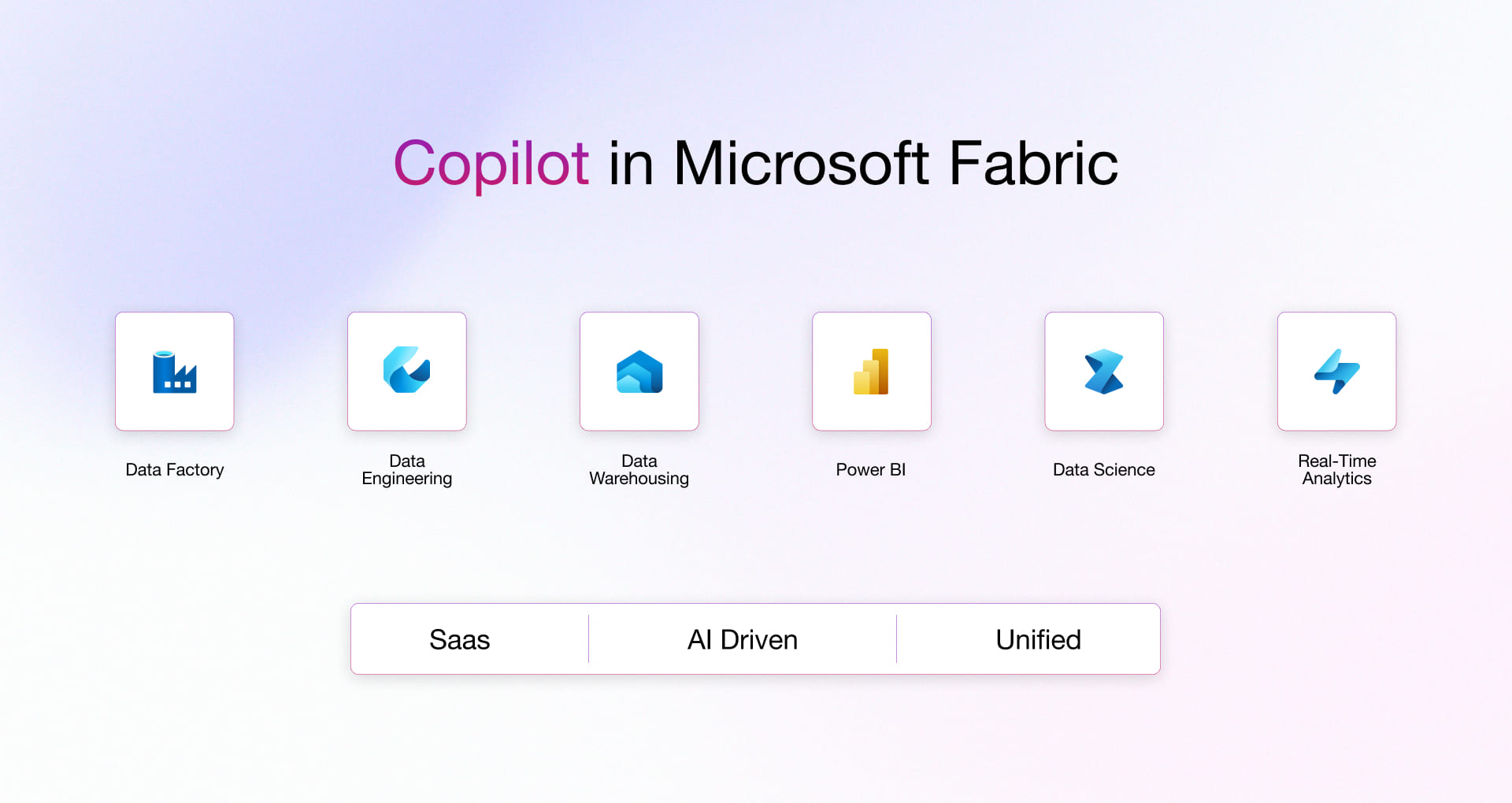
Data Factory with Copilot
- Automates Data Integration: Copilot in Data Factory automates creating, scheduling, and managing data workflows.
- Streamlines ETL Processes: Move data from various sources easily and transform it using simple commands.
- Ensuring High-Quality Data: Keep your data up-to-date and ready for analysis without manual effort.
Data Engineering with Copilot
- Designs Efficient Pipelines: Copilot helps design scalable and efficient data pipelines.
- Automates Data Tasks: Perform data ingestion, processing, validation, and cleaning automatically.
- Transforms Data Quickly: Convert raw data into analysis-ready formats with ease.
Data Warehouse with Copilot
- Manages Large Datasets: Copilot handles large datasets efficiently in the Data Warehouse.
- Executes Complex Queries: Use simple language to run complex queries and generate reports quickly.
- Supports Large-Scale Analytics: Derive insights from massive datasets with advanced features like columnar storage and in-memory processing.
Data Science with Copilot
- Guides Data Science Workflows: Copilot assists from data analysis to model deployment.
- Supports Popular Tools: Use Python, R, and Azure Machine Learning with ease.
- Accelerates Model Development: Develop predictive models faster and more efficiently.
Real-Time Intelligence with Copilot
- Automates Streaming Data Analysis: Set up real-time data streams and analytics with simple commands.
- Provides Immediate Feedback: Create dashboards and alerts for timely insights.
- Enables Proactive Decisions: Respond quickly to changing conditions with real-time data.
Power BI with Copilot
- Simplifies Data Visualization: Create interactive reports and dashboards using conversational queries.
- Uncovers Trends Easily: Track key performance indicators and share insights across the organization.
- Drives Data-Informed Decisions: Present data compellingly and make better decisions with Copilot’s help.
Inside Microsoft’s Copilot: Powering AI-Driven Data and Analytics Ecosystem
The Copilots within Microsoft’s ecosystem are powered by the Azure OpenAI Service, a comprehensive platform that includes various AI models and generative AI utilities. At the crux of these capabilities is the fourth-generation generative AI model, GPT-4. It is widely preferred for its advanced language understanding and generation abilities. This model is highly beneficial in powering applications such as GitHub Copilot.
Here are the key components that power Copilots within Microsoft’s ecosystem:
1. Azure OpenAI Service
- AI Models – The service offers a variety of AI models, including GPT-4, which is used to understand and generate human-like text. These models provide the foundational technology for copilots, which enables them to comprehend user input, generate reports, and perform various data analytics tasks.
- Utilities – Apart from AI models, the service includes tools and utilities for writing assistance, code generation, and advanced data reasoning. These include Assistant API, Code interpreter, and custom functions. All these features make the copilots versatile in handling a wide range of user requirements.
2. Integration with Microsoft Products
- Unified Platform – The Copilots are seamlessly integrated into platforms like Microsoft Fabric, Power BI, Power Pages, Dynamics 365, and Windows 11. This integration ensures that the AI capabilities provided by the Copilots are easily accessible across different layers of the Microsoft ecosystem for flawless user experience.
3. Plugins
- Open Plugin Standard – Microsoft follows an open plugin standard, in which developers can create plugins that enhance the functionality of Copilots. These plugins enable the Copilots to access real-time data from various external systems, incorporate business-specific data, and perform specialized tasks according to user input.
- Interoperability – The open standard nature of these plugins makes it easy for them to work across multiple platforms like ChatGPT, Bing, Dynamics 365, Microsoft 365, and Windows Copilot. This flexibility helps in building a diverse and interconnected plugin environment for seamless interoperability across business and consumer surfaces.
4. Adaptive Learning
- Machine Learning Algorithms – Copilots leverage a combination of transformer-based language models and reinforcement learning techniques to better understand user needs and adapt to their specific work styles. These algorithms can handle unstructured data and improve through feedback, which is how copilots become more accurate and responsive over time.
- Natural Language Understanding – The Copilots’ ability to understand and process natural language inputs allows them to interpret complex queries and provide meaningful responses.
Who Wins with Copilot in Microsoft Fabric? Roles That Witness Real Enterprise Upside
Copilot in Fabric is relevant to more than just analysts or data engineers. Microsoft explicitly positions it for people who create, manage, and consume Fabric items, including enterprise developers, self-service users, and business users.
| Persona | How Copilot helps | Enterprise value |
| CTOs and Chief Data Officers | Assess rollout, governance, capacity, and strategic fit of Copilot across analytics programs. | Better alignment between AI adoption, platform strategy, and business priorities. |
| BI and Analytics Heads | Accelerate report delivery, improve analyst productivity, and enable governed self-service usage. | Faster insight delivery and broader analytics adoption. |
| Fabric Administrators | Configure tenant settings, control access, manage capacity usage, and support responsible rollout. | Lower governance risk and better operational control. |
| Data Architects | Evaluate where Copilot fits into platform design, data flows, and enterprise architecture choices. | Stronger architecture decisions with AI-readiness in mind. |
| Data Engineers and Data Scientists | Generate, refine, validate, and troubleshoot code and workflows across notebooks and pipelines. | Reduced development effort and faster iteration. |
| BI Developers and Analysts | Write DAX, generate summaries, build reports, and explore data with natural language assistance. | Higher productivity and improved business responsiveness. |
| Business Users and Decision-Makers | Ask questions, explore curated data, and consume insights with less technical friction. | Better access to timely, decision-ready insights. |
How Copilot in Microsoft Fabric Works to Make Faster Decisions
Copilot in Fabric works by combining large language models (LLMs) with the context of the Fabric environment. Depending on the workload, Copilot uses signals such as workspace context, Lakehouse schemas, notebook structure, connected database context, and user prompts to generate relevant suggestions, code, queries, summaries, or explanations.
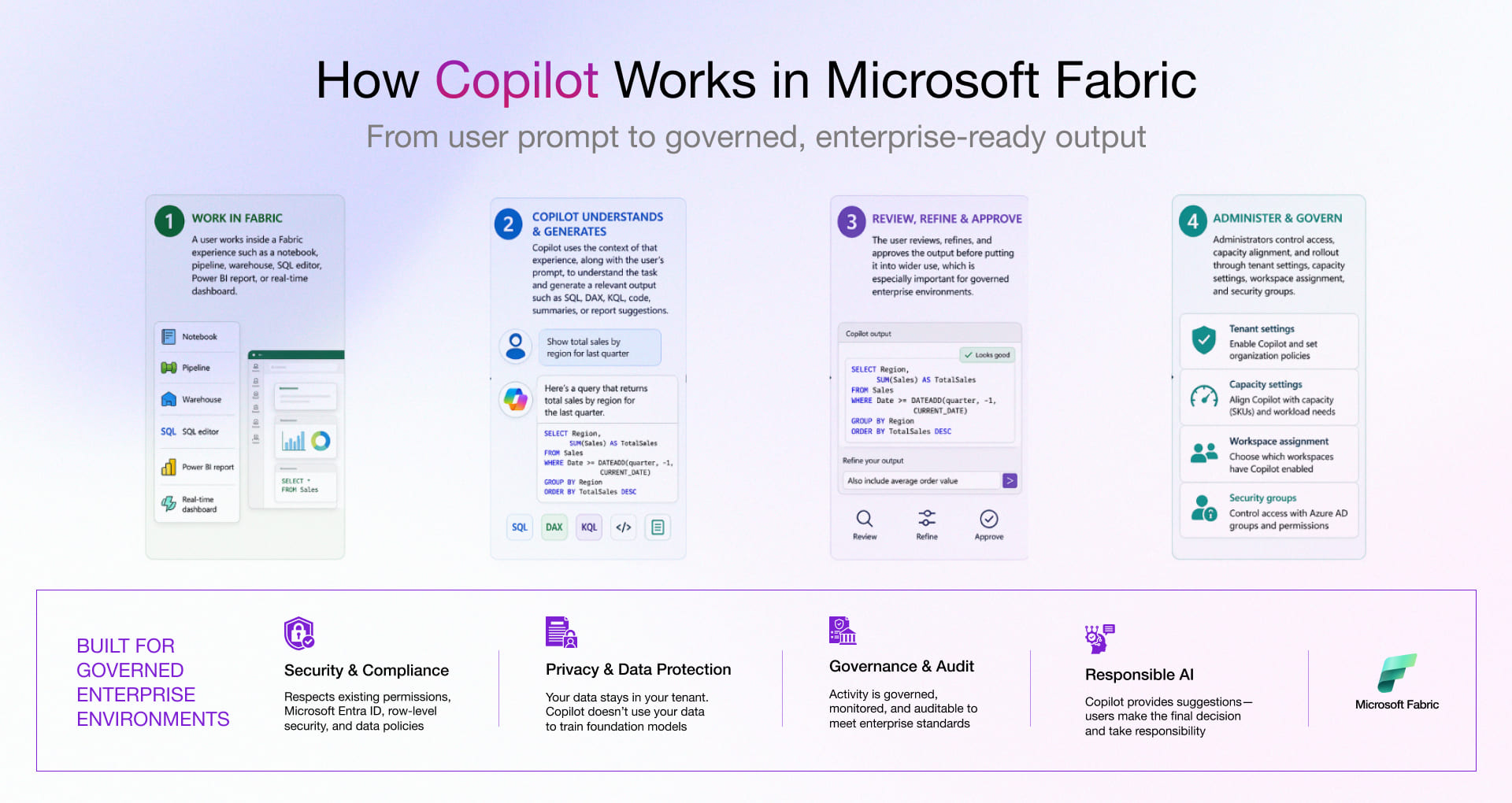
In short, Copilot does not replace enterprise data teams. It augments them by reducing repetitive effort, surfacing recommendations faster, and helping users move from intent to execution with fewer manual steps.
Application of Copilot in Microsoft Fabric Across Industries
The strongest enterprise case for Copilot in Fabric is not feature-rich; it is practical application across high-value analytics workflows. Enterprises can use Copilot to shorten the path from data ingestion to decision-making while keeping governance, access control, and platform management in view.
AdTech
Copilot in Microsoft Fabric sits on top of real-time impression, clickstream, and bid-stream data. With adtech software development, traders and yield teams can interrogate pacing, frequency, and ROI in natural language. Besides, it even auto-generates KQL and SQL that expose waste, underperforming segments, and lookalike opportunities while campaigns are live. This shrinks the loop between signal, optimization decision, and in-market change.
Digital Manufacturing
For digital manufacturing solutions, Copilot leverages OT time-series, MES, and ERP data unified in Fabric to quickly surface patterns behind OEE loss, scrap spikes, and unplanned downtime. This enables turning tribal queries into reusable pipelines and dashboards. It helps plant leaders get faster root-cause visibility, standardize KPIs across sites, and drive continuous-improvement actions that are anchored in the same, trusted data backbone.
FinTech
Copilot helps risk, fraud, and analytics teams move from static reporting to always-on intelligence. It does this by generating and refining detection logic, feature engineering code, and exposure views over Fabric-hosted transaction and behavioral data. With fintech software development, it enables accelerating the path from “new pattern observed” to governed monitoring, regulatory-ready insight packs, and portfolio decisions grounded in up-to-the-minute exposure and risk signals.
Healthtech
Copilot running on Fabric’s, especially for healthcare software development, consolidates clinical, operational, and claims datasets transforms how teams define cohorts, quality metrics, and throughput analyses. It turns plain-language questions from clinical operations into notebook code, curated models, and consumable narratives so leaders can see how interventions impact length of stay, readmissions, and resource utilization without waiting on a long analytics backlog.
Logistics
Copilot uses Fabric’s real-time intelligence layer across telematics, TMS, WMS, and external feeds to let network planners and control-tower teams query SLA risk, lane profitability, and capacity constraints conversationally. Logistics software generates live routes, exception views, and performance summaries that turn reactive firefighting into proactive, data-driven orchestration of the end-to-end network.
Where the Value Shows Up: Benefits of Copilot in Fabric
This section moves beyond capabilities and into where Copilot in Microsoft Fabric actually contributes inside Adtech, manufacturing, fintech, healthtech, and logistics scenarios showing how unified data plus AI assistance translate into faster decisions, leaner operations, and more resilient business models.
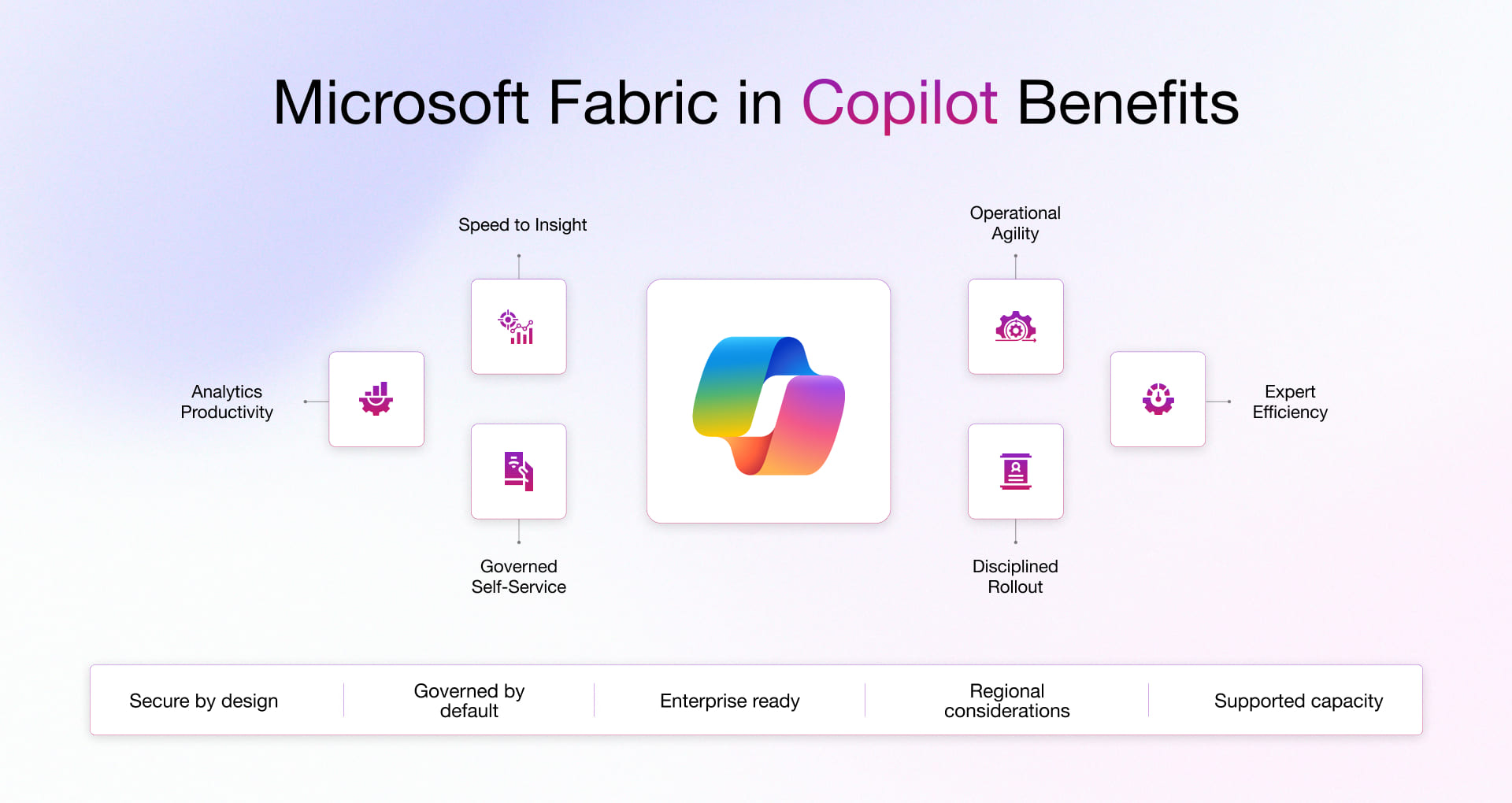
1. Faster Time to Insight
Copilot reduces manual effort in querying, coding, report creation, and troubleshooting, helping teams move more quickly from raw data to decision support.
2. Higher Productivity Across Analytics Roles
The platform supports engineers, analysts, architects, administrators, and business users in different ways, making analytics work more scalable across functions.
3. Lower Friction in Governed Self-Service
Natural language interactions and assisted content generation make analytics more accessible without removing governance controls.
4. Improved Operational Responsiveness
Real-time and query assistance capabilities can help teams detect, investigate, and respond faster in data-intensive environments.
5. More Efficient Use of Specialist Expertise
Copilot helps reduce time spent on repetitive coding, query writing, and documentation tasks so experts can focus on higher-value analysis and architecture decisions.
6. Stronger rollout discipline
Microsoft emphasizes deliberate planning, security group-based access, supported capacity, and regional considerations before broad activation, which is critical for enterprise adoption.
How Rishabh Software Help Enable Copilot Capabilities in Microsoft Fabric
As a Microsoft Solutions Partner and experienced Power Platform development company, we can help you make the most of Copilot’s powerful AI capabilities effectively within your organization. Here’s how:
- Unify Your Data Foundation: We consolidate your diverse data sources into a single, reliable copy, creating a unified foundation. This unified source of truth enhances data integration and accessibility, making it easier to utilize Copilot to generate actionable insights.
- Activate Your Data: With Copilot, we enable triggers and notifications that transform data into actionable insights. This ensures your team can take the right action at the right time with AI-generated recommendations.
- Secure Data Sharing: Our structured data hubs facilitate the secure sharing of information both internally and externally. Copilot enhances this process by ensuring that shared data is both relevant and insightful.
- Self-Serve Analytics: We enable your enterprise to generate real-time insights using Power BI integrated with Copilot for Microsoft Fabric. This self-service analytics capability allows your team to make informed decisions swiftly and effectively.
- Shortcut Solutions: We optimize your analytics workflows with shortcuts for the Power Platform, Dynamics 365, and multi-cloud environments. Copilot’s AI capabilities streamline these processes to save time and boost productivity.
- Governance and Security: We implement robust security, governance, and compliance measures while ensuring responsible data management. With Copilot, these controls are enhanced and offer better oversight.
- Generative AI: We accelerate your data analysis with Copilot’s AI capabilities, unlocking new insights and innovative solutions. This enables enhanced business value, driving growth and competitive advantage.
Whether it’s co-creating solutions at our Microsoft CoE or providing dedicated support, Rishabh Software stands as a trusted partner in your AI transformation journey.
Frequently Asked Questions
Q: What are the benefits of using AI in Microsoft Fabric?
A: AI in Microsoft Fabric helps enterprises reduce manual analytics effort, improve productivity across data and BI teams, and make data exploration more accessible through natural language and assisted generation experiences. In practice, the value comes from faster insight generation, easier workflow execution, and broader analytics adoption across technical and business users.
Q: How can Copilot streamline analytics workflows?
A: Copilot streamlines analytics workflows by assisting with code generation, SQL and KQL creation, report and summary generation, troubleshooting, and contextual recommendations across multiple Fabric workloads. This reduces repetitive work and helps teams move faster from ingestion and preparation to analysis, visualization, and action.
Q: What do enterprises need before enabling Copilot in Fabric?
A: Enterprises need supported Fabric capacity, supported region alignment, tenant and capacity settings, workspace provisioning, controlled user access, and governance planning before broad rollout. Microsoft also recommends careful preparation because uncontrolled enablement can increase capacity consumption and create operational or compliance risks.