A machine on the production line starts producing parts that fall slightly outside the required tolerance. A quality monitoring system flags the deviation, prompting a diagnostic agent to examine equipment telemetry for a possible cause. At the same time, a maintenance agent checks recent repair records, while another agent reviews quality standards and production parameters.
Each agent investigates a different aspect of the problem, but resolving it requires combining their findings. The maintenance history might explain the machine’s behavior, while the quality records could help determine whether the affected batch can proceed. Before production resumes, the findings must inform a decision that follows the plant’s operating rules.
Across multiple production lines, different AI agents can handle equipment diagnostics, quality checks, maintenance planning, and production scheduling. AI agent orchestration coordinates their work, manages information exchange, and brings findings together at the right decision points.
This blog explains how orchestration works, compares common orchestration patterns, outlines the components of a production-ready architecture, and explores enterprise use cases for engineering leaders and operations teams.
What is AI Agent Orchestration in a Multi-Agent Workflow?
AI agent orchestration coordinates how AI agents execute tasks within an application. It manages task assignment, execution order, context transfer, tool access, error handling, and the collection or validation of results.
A multi-agent workflow divides a larger business task into smaller responsibilities, each of which is handled by dedicated agents. For example, in manufacturing, multiple agents can be used to execute isolated tasks like production schedule analysis, retrieving equipment status, inventory checks, and quality-record analysis to investigate a production delay.
The orchestration layer coordinates these activities, manages dependencies between tasks, and checks whether the combined results meet the workflow’s requirements.
AI Agents, Multi-Agent Systems, and Orchestration: What is the Difference?
| Component | Responsibility | Manufacturing example |
| AI agent | Performs a particular task using instructions, tools, and available context | Retrieves equipment maintenance history |
| Multi-agent system | Combines specialized agents to address a broader task | Investigates a production bottleneck using machine, inventory, and scheduling data |
| Orchestration layer | Controls routing, dependencies, state, validation, and completion | Coordinates the investigation and routes proposed schedule changes for approval |
The Microsoft Azure guidance on AI agent design patterns suggests organizations to start simple and add complexity only when the job needs it: first comes a single AI call, then one agent with tools, and a group of agents only as a last step.
How AI Agent Orchestration Coordinates Multi-Agent Workflows
To understand the step-by-step process, let’s take the example of a production quality deviation that needs to be investigated. Here’s how the AI agent workflow orchestration layer coordinates multiple activities in a sequence:
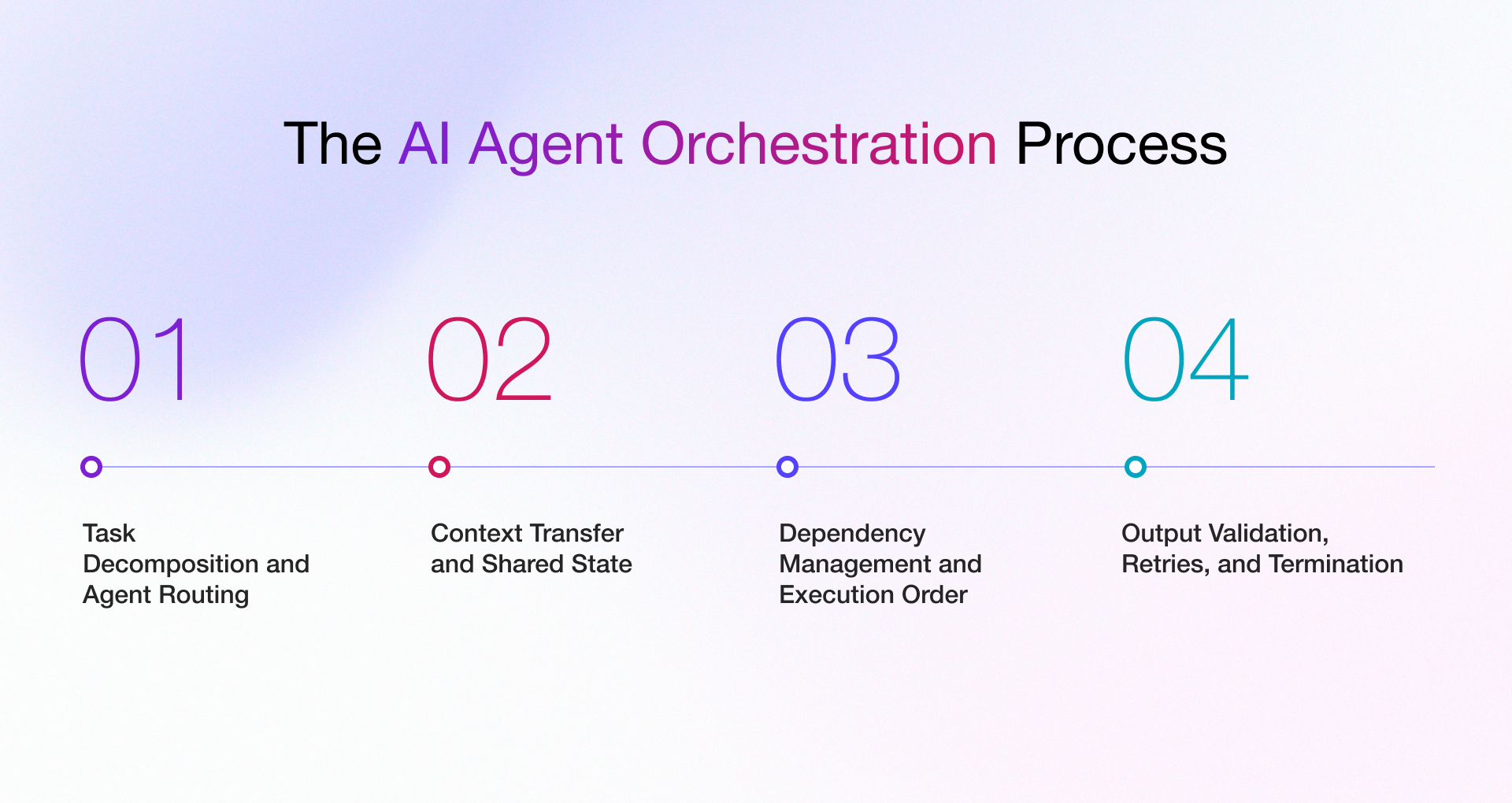
1. Task Decomposition and Agent Routing
Task decomposition breaks a broad task into smaller ones that agents can complete. On the other hand, routing assigns each activity to an agent based on its responsibility, available tools, required inputs, and permissions.
An unusual temperature reading in a manufacturing firm gets routed to a diagnostic agent, which then checks maintenance history and operating conditions. If it finds a quality issue, the workflow can involve a quality agent.
Routing can either follow set rules, or it can change based on what the agents find along the way. In case the result is not satisfactory, you can deploy specialist agents.
2. Context Transfer and Shared State
AI agents need relevant information to complete their tasks. Giving every agent access to the full conversation history can increase token usage, processing costs, and latency while introducing irrelevant context.
A better approach is to maintain a shared workflow record and provide each agent with only the information it needs for its assigned task.
In agentic AI in manufacturing, traceability is particularly important. When an agent’s analysis references an inspection result or machine event, the workflow record should retain the source and timestamp so operators can verify the evidence behind the findings.
3. Dependency Management and Execution Order
Although multi-agent workflows can happen simultaneously, some tasks have to be finished before others can start. For example, a problem fix should not be made before the evidence has been gathered and reviewed.
The AI agent orchestration system keeps a map of which tasks depend on which, and it starts each task as soon as the ones it needs are done.
4. Output Validation, Retries, and Termination
AI agents should return outputs in a consistent format so downstream systems can process them reliably. Before the workflow proceeds, the orchestration layer validates each output for completeness, data types, permitted values, and compliance with business rules.
Retries can help recover from transient failures, such as temporary connection timeouts. However, repeated failures, invalid outputs, or exhausted retry limits should trigger an escalation or exception path rather than continued attempts.
The workflow also needs clear termination conditions. It should end when the required result is validated, pause for human approval when necessary, or stop safely when there is insufficient evidence to proceed.
Which AI Agent Orchestration Patterns Should You Use?
Multi-agent orchestration comes down to a few recurring patterns. Your selection depends on how tightly tasks depend on one another and how much risk your business accepts from model-driven decisions.
| Pattern | How It Works | Digital Manufacturing Application | Main Consideration |
| Supervisor-led or hierarchical | A coordinating agent delegates and consolidates work. | Multi-source equipment investigation. | The supervisor may become a bottleneck. |
| Sequential | Agents execute in a predefined order. | Inspection report extraction followed by validation. | Early failures can affect later steps. |
| Hybrid | Combines multiple coordination patterns. | Production investigation with parallel analysis and approval. | The overall logic requires more testing. |
| Handoff or dynamic | Control moves between agents as the task develops. | Routing an issue from production monitoring to quality review. | Repeated handoffs need limits. |
| Concurrent or parallel | Independent agents work simultaneously. | Parallel analysis of telemetry and quality records. | Conflicting results need resolution. |
1. Supervisor and Hierarchical Orchestration
Here, one lead agent hands out tasks to other agents before reviewing what they send back and deciding on the next step. Large setups, like a company with several manufacturing plants, can add more levels of leads under it.
The downside is that it slows things down. Also, if the lead agent fails, so does the whole process.
2. Sequential Orchestration
Agents work one after another in a set order and pick up where the last one stopped. A manufacturing document workflow can extract inspection data, validate required fields, compare results against specifications, and route discrepancies for review.
It is easy to follow and easy to track, but a mistake made early on gets passed along to every step after it.
3. Hybrid Orchestration
Production AI systems often combine orchestration patterns. For example, a factory runs its approval steps in a fixed order, and multiple agents check different things at the same time.
Hybrid patterns match real processes very closely but it also needs disciplined testing, because every pattern you add creates more paths.
4. Handoff and Dynamic Orchestration
When an agent realizes a request is not its job, it passes the task to a more competent agent. This works well for open-ended questions from machine operators.
The drawback is that due to unpredictable execution paths, agents can end up passing the same task back and forth, so the system needs a way to spot and stop that.
5. Concurrent or Parallel Orchestration
In this orchestration pattern, several agents work on separate parts of a job at the same time, like quality investigation could examine machine telemetry, material batch records, and inspection results in parallel.
You need a clear rule for what happens when the agents disagree, and the cost goes up because more agents are doing work for one request.
What an Enterprise-Ready AI Agent Orchestration Architecture Needs
The key components of a multi agent system architecture are uncluttered interfaces, managed state, scoped permissions, observability, and recovery. The Microsoft Multi-Agent Reference Architecture has highlighted how these pieces fit together.
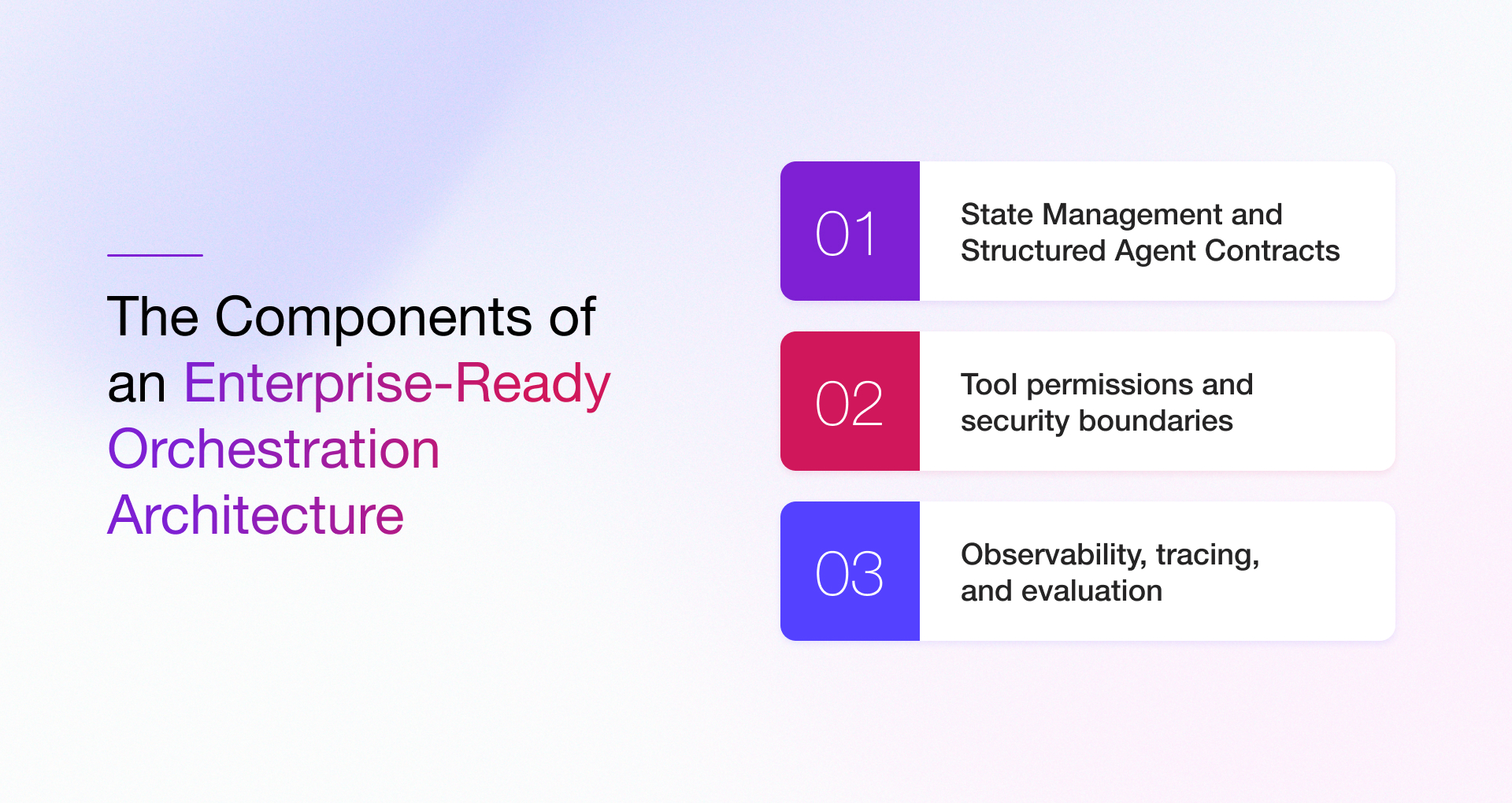
- State Management and Structured Agent Contracts – An explicit contract for agents that would include their task, expected input, output schema, tools, error behavior, and completion criteria.
- Tool permissions and security boundaries – Each agent should only have the tools its job requires, and risky actions (releasing material, changing machine settings, or placing a hold) should need extra approval.
- Observability, tracing, and evaluation – Manufacturing-specific evaluation includes measures like diagnostic accuracy, false-positive alerts, investigation time, and the scope of manual intervention.
Common AI Agent Orchestration Challenges and How to Address Them
Most production problems in implementing an AI agent orchestration framework fall into recognizable categories. However, every challenge has an engineering measure to control.
| Challenge | Manufacturing example | Engineering response |
| Incorrect routing | A quality issue is sent to an agent without the relevant domain context | Define routing criteria and permitted delegation targets |
| Inconsistent context | Agents analyze different production time windows | Standardize identifiers, timestamps, and shared state |
| Conflicting findings | Telemetry and inspection records suggest different causes | Validate source data and require evidence-based reconciliation |
| Repeated execution | agent repeatedly requests unavailable equipment data | Set retry limits, timeouts, and escalation rules |
| Rising cost and latency | Anomaly triggers unnecessary specialist analyses | Use conditional routing and execution budgets |
| Unauthorized actions | Agent attempts an unapproved process change | Enforce permissions and human approval requirements |
| Limited visibility | Engineers cannot establish why a recommendation was produced | Capture end-to-end traces and source references |
Design Your AI Agent Orchestration Layer with Rishabh Software
In manufacturing, AI agents may need to work across production planning, equipment maintenance, quality assurance, inventory management, and supply chain operations. Connecting these workflows requires an orchestration layer that allows agents to share information, work with existing systems, and handle tasks based on defined rules.
Rishabh Software helps businesses identify suitable AI use cases, develop AI solutions, and build AI agents that work with existing enterprise systems. Teams exploring where to start can look at our AI consulting services, while those ready to build can explore our artificial intelligence and machine learning development services.
Our AI agent development services support agent design, integration with MES, ERP, and quality systems, and production monitoring. This helps manufacturers connect AI-driven workflows with their existing operations and manage how agents interact across different processes.
Frequently Asked Questions
Q: What is the difference between AI agent orchestration and multi-agent workflows?
A: A multi-agent workflow is the business process, such as handling a quality deviation, in which several agents complete the part of the work. AI agent orchestration is the coordination layer. It routes tasks to the right agent, passes context between steps, checks results, and confirms completion.
Q: How do multiple AI agents communicate with each other?
A: Multiple AI agents can exchange information through an orchestrator or use a shared record to access workflow state and results. Protocols such as A2A support communication between agents, while MCP standardizes how AI applications connect to tools and data sources. The approach depends on the system architecture and integration requirements.
Q: When should a business use multiple AI agents instead of one?
A: Use several agents when one agent’s toolset has grown too large to manage, when steps need different access levels, when a second agent should verify the first, or when parallel work shortens response time. Without those conditions, a single agent is simpler, cheaper to run, and easier to maintain.
Q: What frameworks are used to orchestrate AI agents?
A: Common choices include the Microsoft Agent Framework, the OpenAI Agents SDK, and LangGraph, along with commercial agent platforms. Compare them based on supported orchestration patterns, state management, tracing, permission controls, and integration with your MES, ERP, and quality systems.
Q: What are some AI agent orchestration use cases for multi-agent workflows?
A: AI agent coordination pays off in digital manufacturing when a process encompasses several systems and teams, a process that needs coordination. In digital manufacturing, common cases include quality inspection and defect response, predictive maintenance and work order planning, production scheduling and supply chain exceptions, and engineering change and documentation workflows, with human approval at critical decisions.
Q: How do you secure a multi-agent AI application?
A: Give each agent a defined identity and only the permissions it needs to perform its tasks. Restrict access to tools and data, require human approval for high-impact actions, and log agent decisions and tool calls for auditing. Treat operator notes and supplier documents as untrusted input, and validate requests before allowing agents to trigger operational changes.
Q: How can you monitor and debug multi-agent workflows in production?
A: Give each run a unique identifier and record every AI call, tool use, state change, and approval under it. Track routing accuracy, completion rate, retries, step time, and cost per workflow, and keep replayable records so engineers can reproduce a failed run and find the step that caused it.