Traditional workforce scheduling involves creating spreadsheets and duty rosters, checking employee availability, handling shift swaps, and filling coverage gaps. This approach becomes more complex as workforce requirements grow. Managers, HR, and operations teams often lack a complete view of schedules, availability, leave, skills, and staffing demand. 49% of managers still fill open shifts by calling or texting employees individually.
A workforce scheduling app can replace these manual processes with a centralized system for managing schedules and workforce data. Microsoft Power Platform provides the core components to build an application. Power Apps can provide the scheduling interface, Dataverse can manage workforce and roster data, Power Automate can handle approvals and notifications, and Power BI can support operational reporting.
This blog explains how Power Platform can be used to build a workforce scheduling app, which workflows can be automated, and when a custom solution makes sense compared with off-the-shelf software.
Why Build a Workforce Scheduling App on Power Platform?
Scheduling rules vary across departments, locations, and workforce roles. A Power Platform workforce scheduling app can store these rules in the data model and workflows, making them easier for your team to review and update as requirements change. Integration with Microsoft Entra ID, Teams, and Outlook can support user access, notifications, and approvals within your existing Microsoft environment.
Power Platform provides much of the underlying infrastructure for app development, so your team can focus on scheduling logic, business rules, and integrations rather than building every component from scratch. Authentication, hosting, and mobile access still require appropriate configuration.
For organizations pursuing Power Platform workforce management as a broader program, the same data model extends to leave, skills, and labor budgets. Our overview of Power Platform capabilities, business use cases, and the benefits of Power Apps expands on each component.
- Customization: rule sets for rest periods, certifications, seniority, and local labor law sit in configurable tables.
- Ecosystem integration: Connectors can link the app with entra ID, Teams, Outlook, SharePoint, and Dynamics 365 can all be connected using standard connectors.
- Low-code delivery: Planner and employee interfaces are designed through configuration, and trained analysts can maintain them after handover.
- Automation: Power Automate can handle approvals, escalations, and notifications run as versioned flows with a visible run history.
- Analytics: Power BI solutions read the same report on coverage, overtime, and workforce utilization using Dataverse data. Additional data preparation or integration may be needed for more complex reporting requirements.
- Scalability: Security roles, environment management, and a suitable data model can help extend the solution across multiple locations and departments.
Power Platform Components Behind a Scheduling Solution
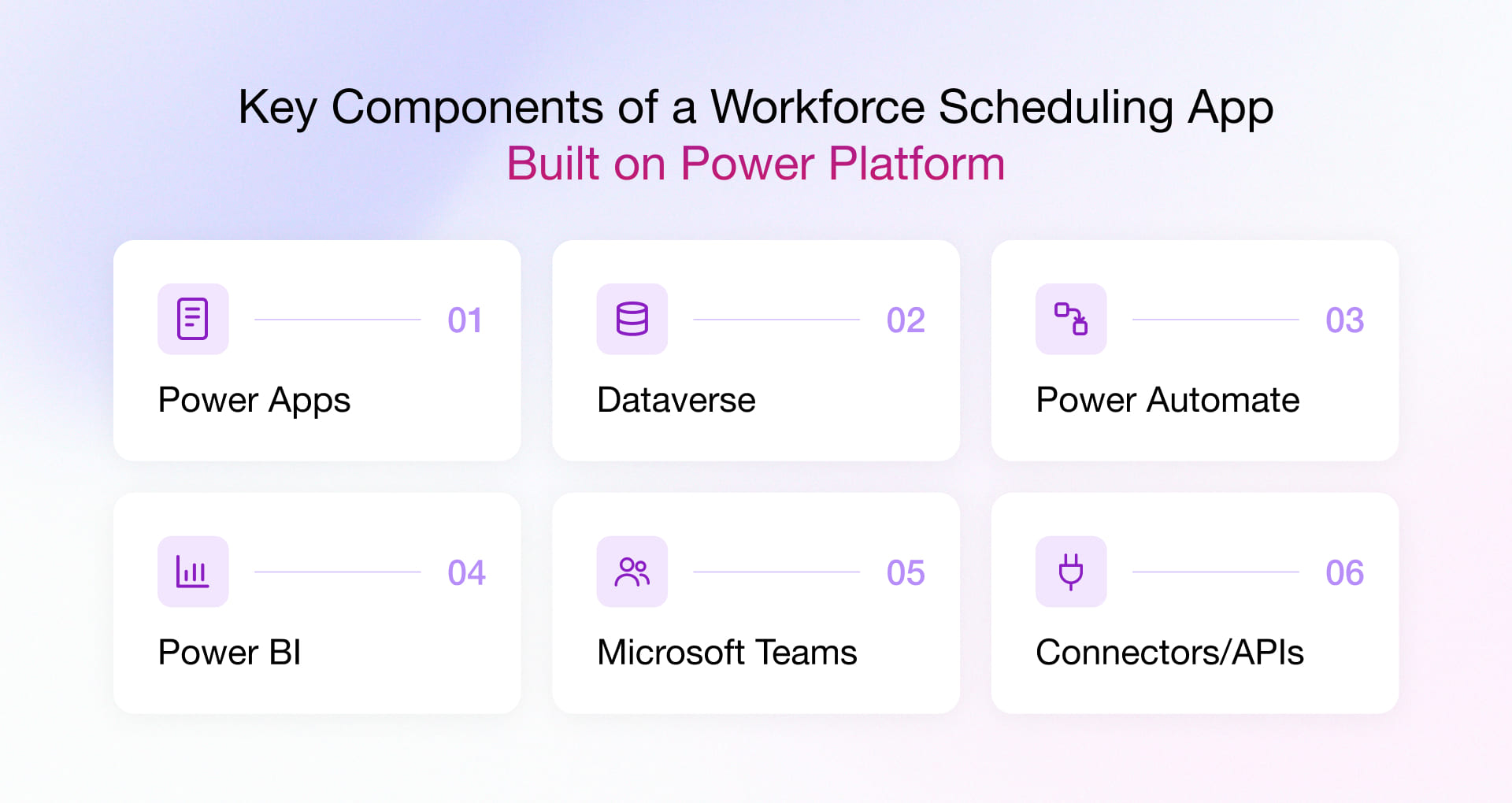
A well-configured Power Platform employee scheduling app has four components, with Microsoft Teams as an additional channel for notifications and approvals. The employee-facing mobile app supports tasks such as checking schedules and requesting shift swaps, while the planner console helps managers create and manage rosters. Both can use the same Dataverse data model to keep scheduling rules and workforce information consistent.
|
Component |
Role in workforce scheduling |
| Power Apps | Canvas app for employee self-service on mobile (availability, swap requests, open shifts) and model-driven app for planners and administrators
|
| Dataverse | System of record for employees, locations, skills, shift templates, shifts, availability, leave, swap requests, and audit history |
| Power Automate | Rule validation, approval routing, notifications, and integration with other systems |
| Power BI | Coverage, overtime, absence, and labor cost reporting over Dataverse |
| Microsoft Teams | Notification and approval channel, with an optional connection to Shifts |
| Connectors/APIs | Integration with HR, ATS, payroll, attendance, ERP, CRM, and other business software |
How Power Platform Automates Workforce Scheduling
A workforce scheduling app built on Power Platform can automate several tasks, from creating and validating schedules to handling employee requests and tracking staffing needs.
1. Schedule creation and validation
Using Power Platform, workforce planners can generate a draft from shift templates and demand figures. A flow then checks and validates all assignments against criteria like rest periods, maximum weekly hours, availability, and required certifications, after which the roster gets published.
2. Time-off requests
Employee leave and time-off requests can be stored in Dataverse and routed to the relevant manager for approval. Then they are routed to the line manager, and availability is updated upon the manager’s approval. With this scope of automation, organizations can reconcile the manual workflow between leave records and the roster.
3. Shift swaps and open shifts
In Power Platform’s workforce scheduling platform, employees can request swaps from their phones. The app’s flow validates eligibility, and the approver responds from Teams. The Shifts connector crawls through and exposes operations to list open shifts and to approve or decline swap requests, which supports hybrid designs that keep Teams Shifts as the front end.
4. Notifications and schedule changes
When a schedule is published, edited, or cancelled, the app can trigger notifications through Teams, email, or mobile channels, depending on how it is configured. The solution can also record schedule changes and approval decisions to maintain an audit trail.
5. Integration with HR, payroll, and attendance
Scheduling workflows can be connected to HR, payroll, and time and attendance systems using standard, premium, or custom connectors. Developers can wrap a REST API with a custom connector and share it with the tenant. This enables approved hours to reach payroll without re-keying. Organizations also have the option to use Copilot in Power Platform to authorize and draft flows and screens from a plain description.
6. Monitoring workforce performance
Using Power BI that consumes scheduling data, you can get operational visibility into staffing, hours, absence, overtime, and other workforce indicators. This creates a constant feedback loop between scheduling decisions and operational performance.
How to Build a Workforce Scheduling App on Power Platform
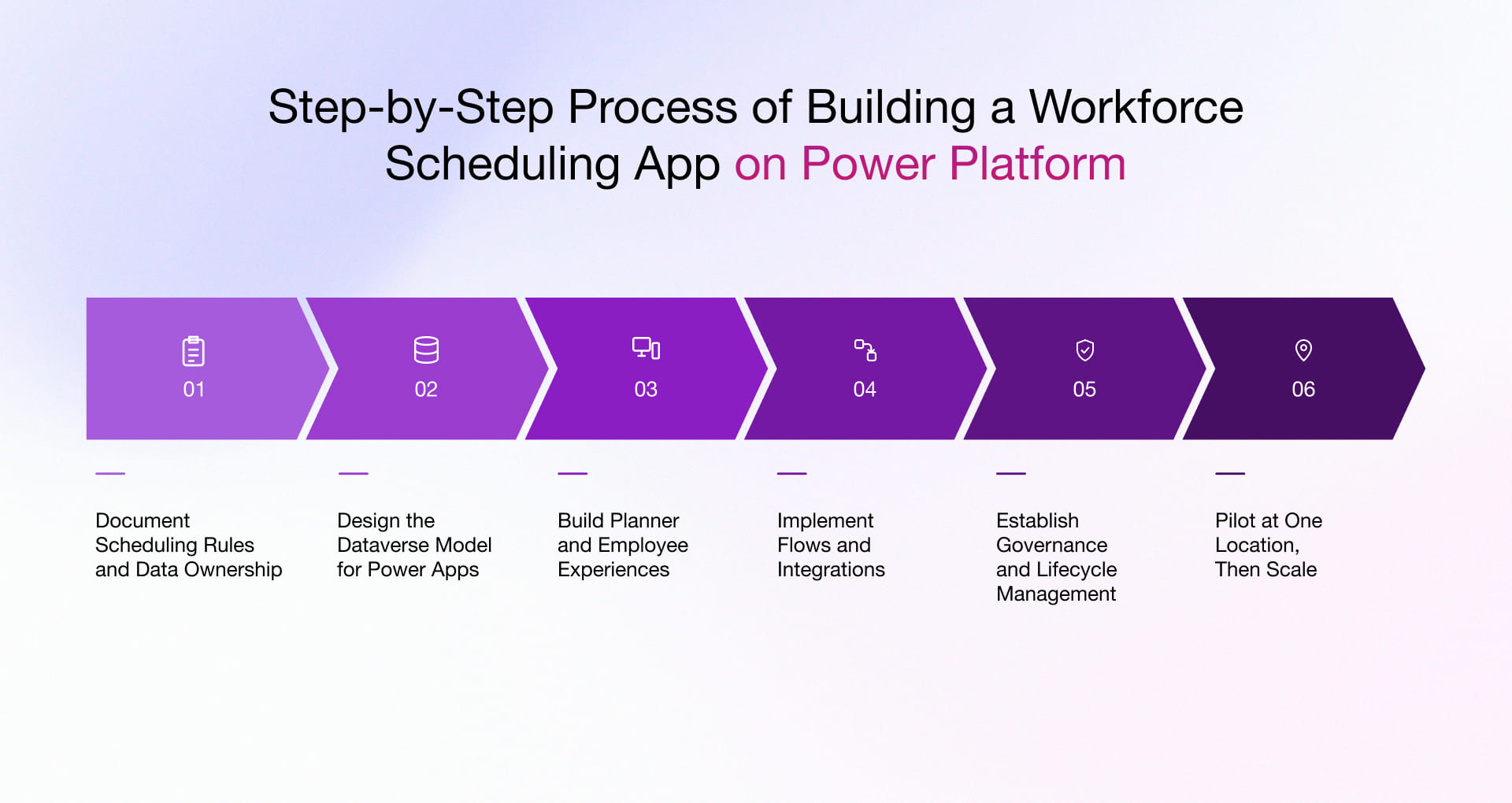
Building a workforce scheduling app involves more than creating screens and automating approvals. The Microsoft technology services team needs to define scheduling rules, structure the data, build the planner and employee interfaces, and test the workflows before rollout. The following six steps outline the process.
1. Document Scheduling Rules and Data Ownership
Record every rule and workflow a planner applies on a day. It should also include the exceptions, and you must name the system that owns each data element. If you cannot write down a rule, it’s not ready to be automated yet.
2. Design the Dataverse model for Power Apps workforce scheduling
Which records will your planners and employees depend on every day? At this stage, dev teams model employees, locations, skills, shift templates, shifts, availability, leave, and swap requests, then set security roles by location and function. The choices you make here shape query performance and reporting quality for as long as the staff shift scheduling app runs.
3. Build Planner and Employee Experiences
Since your planners and your employees want different things from the same data, you need to create two things here – a model-driven console to give planners control of the roster, and a canvas app that gives employees a short list of mobile tasks. Both will be limited to the tasks their audience performs.
Our Power Apps development practice applies this separation to keep both interfaces responsive and accurate to their functionality.
4. Implement Flows and Integrations
Once the data model is stable, you can build validation, approval, and notification flows inside the managed solution and connect your HR, payroll, and attendance systems through whichever connector type each one supports.
5. Establish Governance and Lifecycle Management
Set up development, test, and production environments, along with deployment pipelines and data loss prevention policies, before the first release. Licensing should also be considered during architecture planning.
Dataverse and premium connectors require premium licensing, the Shifts connector is a standard connector, and per-user and per-app plans create different cost curves with your headcount growing. For this very reason, we model three years of licensing before we finalize the architecture.
6. Pilot at One Location, Then Scale
Your pilot belongs to a single site, under a named business owner. Hence, you must compare rostering time and coverage accuracy as per your baseline. If feasible, you can extend it to further locations but only after the rule set has been held for a full scheduling cycle.
Custom vs. Off-the-Shelf App: Which Workforce Scheduling Solution Should You Choose?
Custom workforce scheduling app development on Power Platform makes sense when packaged software cannot accommodate your scheduling rules, required integrations, or organization-specific approval workflows. It can also be a good fit when workforce scheduling needs to connect closely with operational data in Dataverse or Dynamics 365.
Consider a custom workforce scheduling app when you need:
|
Requirement |
Custom fit |
| Complex scheduling rules | High |
| Multiple sites or workforce groups | High |
| Custom approval workflows | High |
| HR, payroll, or ERP integrations | High |
| Microsoft ecosystem integration | High |
| Organization-specific reporting | High |
| Basic shift scheduling | Consider off-the-shelf |
If your scheduling requirements are standard, off-the-shelf software may be the more practical choice. But if scheduling depends on your specific workflows, business rules, or system integrations, a custom workforce scheduling app can give you more control over how the solution works.
Why Choose Rishabh Software for Developing Your Power Platform based Workforce Scheduling Solution?
we help organizations build custom Power Platform solutions around their business processes, data, and integration requirements. For workforce scheduling, this includes developing Power Apps for planners and employees, structuring workforce data in Dataverse, automating shift approvals and notifications with Power Automate, and building Power BI reports to track staffing and scheduling performance.
We start by understanding how your team manages rosters, employee availability, leave, and shift changes. Based on these requirements, we define what can be automated, which decisions need manager approval, and how the scheduling app should connect with your existing HR, payroll, and attendance systems.
If you’re planning to replace spreadsheet-based rostering or build a workforce scheduling app around your operational requirements, our Power Platform consulting services can help you assess the solution scope, architecture, and implementation approach.
Frequently Asked Questions
What workforce scheduling challenges can a Power Apps solution address?
A: A Power Apps workforce scheduling solution can address challenges such as manual shift allocation, employee availability tracking, scheduling approvals, and coordination across teams. It can also accommodate business-specific rules and integrate scheduling workflows with existing.
Q: What features should a workforce scheduling app have?
A: The core set includes shift templates, availability and leave management, rule validation, shift swaps and open shifts, notifications, role-based access, mobile access, integration with HR and payroll, and reporting on coverage and overtime.
Q: Can Power Automate approve shift swaps and send notifications?
A: Yes. The Shifts connector includes operations to approve or decline swap requests and to list open shifts, and flows can notify the people involved via Teams, email, or mobile notification.
Q: What are the best use cases for a Power Platform workforce scheduling app?
A: A Power Platform workforce scheduling app can support different needs across industries. In healthcare, it can help schedule staff based on credentials and availability. Retail and hospitality businesses can manage rotating shifts and shift swaps across locations. Field service and logistics teams can align workforce availability with work orders and delivery schedules, while manufacturers can assign shifts based on employee skills, machine availability, and production requirements.
Q: Can a Power Apps scheduling app integrate with HR and payroll systems?
A: Yes. Standard and premium connectors cover many HR and payroll platforms, and a custom connector built on a REST API reaches systems without a prebuilt option.
Q: Where does AI fit in Power Platform?
A: AI appears in three places on Power Platform. It assists makers while they build apps, as with the canvas authoring agent plugin. It also appears inside apps, through Microsoft 365 Copilot chat in model-driven apps and generative pages. In flows, Microsoft’s 2026 plan lists Copilot Studio actions in cloud flows.