Digital transformation works best when it solves real business problems, not when it only introduces new technology. For growing organizations, the real value of Microsoft Power Platform lies in how it can be applied across everyday business use cases like approvals, reporting, customer service, employee onboarding, finance operations, field service, healthcare workflows, and compliance tracking.
With Power Apps, Power Automate, Power BI, Power Pages, Copilot Studio, and Dataverse, businesses can build low-code applications, automate repetitive tasks, connect scattered data, create real-time dashboards, and enable smarter user interactions. These capabilities help teams move away from manual processes, spreadsheets, email-based approvals, and disconnected systems.
This blog explores practical Microsoft Power Platform use cases across industries and business functions. You’ll learn how organizations can use the platform to simplify operations, improve visibility, reduce turnaround time, and get more value from their existing Microsoft ecosystem.
So, let’s get started!
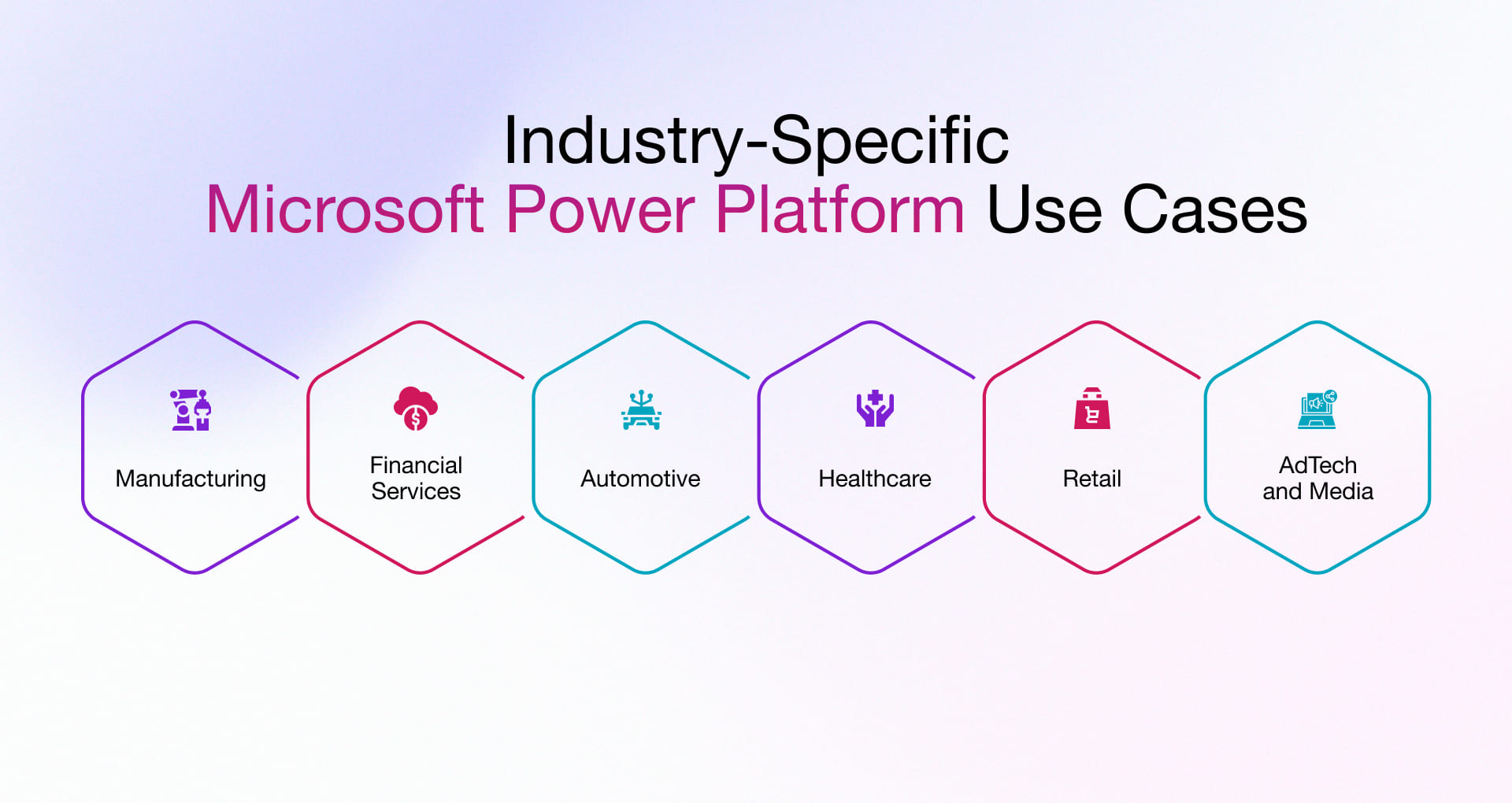
Microsoft Power Platform Use Cases Driving Value Across Business Verticals
Let’s look at practical use cases of Power Platform across some of the popular industries to save a tremendous amount of time, effort & money. As a Microsoft CSP partner in India and the US, we bring proven years of experience and domain expertise, reflected throughout this blog.
Manufacturing – Making Workflow Efficient and Automate
Manufacturing is getting more data-focused, connected, and time-sensitive, so any delays in production, maintenance, or quality can quickly affect business end result. As the pressure grows to boost efficiency and close operational gaps, Microsoft Power Platform offers manufacturers tools to create automated, connected, and smart workflows throughout their production processes. Here are some use cases of Power Platform in manufacturing industry:
Shop Floor Data Collection & Monitoring:
- Manufacturing has lived the era of manual work, from data collection to processing in different formats, facing challenges like extra effort and hard-to-see real-time events.
- Power platform is the ideal enterprise-grade managed capabilities offering where manufacturing industry can build custom intelligent apps to capture and process shop floor data seamlessly.
- Using apps, flows, and agents, data can be collected, connected, and visualized in real time, helping teams move away from assumptions and make faster, data-driven decisions.
Smart Inventory and Warehouse Management:
- Managing inventory and aligning it with demand fluctuations is complex, especially when handled manually.
- Power Platform enables code-first and low-code app development to track material movement using barcode or QR scanning, while managed capabilities ensure smooth integration with ERP and other systems.
- With Dataverse as a centralized data layer and advanced analytics, organizations can gain an AI advantage through demand forecasting and smarter inventory planning.
Quality Management and Inspection:
- Traditional quality inspection in manufacturing industries makes things worse for users (due to poor quality) and for owners (leading to revenue loss). Quality compromises can cause manufacturers to bear significant losses beyond what is expected.
- Power Platform acts as a strong foundation to build a solution or custom applications using Power Apps and Power Automate, enabling efficient tracking of quality across the production line with AI capabilities trained on data, images, logs, and more.
- Further, all captured data can be centralized using Power BI-based dashboards or easily understandable data representations, helping identify defect patterns and improve product quality over time.
Maintenance Management & Downtime Reduction:
- Let’s face the reality: equipment maintenance has shifted toward a more proactive approach rather than a reactive one, which is typically done after a breakdown and hinders the production process.
- Power Platform handles the scheduling, alerts, and tracking that make proactive maintenance practical. Connectors pull in data from existing equipment and systems without rebuilding anything. Add AI Builder’s prediction models and you move from fixed schedules to maintaining when the data says it is actually necessary, result? fewer failures, less downtime, lower cost.
Streamlined Approval and Workflow Automation:
- Manual approval workflows have one real problem: no visibility. Nobody knows where a request is, so nobody acts on it. A procurement change sits in an inbox for three days. The window closes.
- Power Automate routes requests automatically and keeps every step visible — all inside Microsoft 365, with nothing new to adopt. Copilot further reduces friction by letting teams draft, summaries, and act on approvals in plain language. A request that takes three days instead of ten does not just save time. It changes what is operationally possible.
Financial Services Sector – Achieving Operational Excellence
The demand, or we can say the dependency, on financial services is not going to slow down anytime soon, supported by the fact that the financial services market is expected to reach $51.11 trillion by 2030. So, looking into and starting to use the Power Platform could really benefit your business. Here are some Microsoft Power Platform use cases:
Risk Management:
- It’s often tough to get a clear, real-time view of financial risks because all the information is usually scattered across different systems. The Power Platform helps by connecting this data using its connectors and Dataverse. It then uses Power BI to show you these risks visually. With AI Builder and Power Automate, you can keep an eye on things all the time, get alerts when something comes up, and make faster, more informed decisions about risks.
Expense Reporting
- Doing expense reports by hand often leads to delays and mistakes when you’re trying to keep track of money. Power Apps makes submitting expenses much simpler. Then, Power Automate handles getting those expenses approved and makes sure you get paid back. Dataverse keeps all the expense information stored neatly in one central spot. And Power BI helps you see exactly where money is going, which gives you better control over your finances and speeds up the whole process.
Business Card Scanning:
- Traditionally, the gathered information needed manual assistance to be fed into the CRM module of D365 or other tools by using a third-party app to scan the card details and further track them.
- Power Apps, with camera control support and Vision API, helps scan the business cards by using OCR (Optical Character Recognition) to translate the elements in the text and include them in the CRM contact list.
Meeting Summary & Notes Capture:
- Banks and other firms use Power Apps to create an app that shows users which meetings they’re involved in and enables them to capture meeting notes and create follow-up actions – all within the same module.
- Further with Microsoft 365, the organization can even get a concise summary of the company’s background and meeting attendees.
Automation of Manual Processes:
- To save time and effort, the firms rely on Power Apps to create digital forms that clients can fill out via pad or another mobile device.
- The filled-out form information can be automatically updated within the central database by Power Automate.
- It can be securely stored, accessed, and updated as needed as it eliminates dependency on clunky legacy systems.
One of Rishabh Software’s FinTech clients recently replaced their fragmented and outdated CSR process with a modern, automated, and hassle-free one by leveraging our top-class Microsoft Power Platform consulting services and SharePoint. Explore more about our modernization efforts for the CSR platform.
Automotive Sector – Accelerating the Future
Microsoft Power Platform use cases for the automotive industry are opening new doors for innovation in vehicle development, enabling safe, secure, and intelligent factories, and ensuring a more personalized customer experience. Let’s explore some key Power Platform applications”
Increased Organizational Productivity:
- In a post-accident claim scenario, the Power Apps facilitates the creation of a mobile-first platform with a secure sign-in to submit all the data that can be submitted.
- It comprises required fields along with the details of the incident and images of the damage caused for quick online assessment.
Resilient Operations:
- Data mining through the local car garages helps get more information on claims and related images to raise a request for a quote (RFQ).
- On receiving the request, the garages submit a quote for repairs using a custom Canvas App supported by Power Automate.
Seamless Mobility Across the Board:
- Power Automate triggers an automated email through Microsoft 365 for claims processing with specifics on the repair work quotes.
- The approval on quotes via a confirmation email is sent to the selected garage and policyholders to facilitate the completion of repairs.
Accelerated Innovation:
- The detailed status report is uploaded on the Canvas App. An instant push notification is sent to the insurer and the policyholder.
Enhanced Customer Experience:
- Power automate triggers a survey to record customer experience and feedback on both the claims process and garage repairs, enhancing customer service and satisfaction levels.
- Finally, Power BI can generate granular reports on CX and provide detailed insights on the volume of claims processed, costs incurred, the extent of damage, model of the vehicle, garage satisfaction rating, and so on.
Healthcare Sector – Enhancing Data Management & Mitigating Risk
While dealing with a titanic amount of sensitive data – from medical records to compliance reports and key performance metrics to patient reports; the industry demands access to this information in real-time. Microsoft Power Platform helps streamline & speed up these challenging tasks by automating data collection, generating reports, and securely storing all the confidential data while offering the following. Here are the top applications of Microsoft Power Platform specially for the healthcare sector:
Appointment Scheduling:
Power platform components like Power Apps and Dataverse can be combined to make a solution where staff can book, reschedule, or cancel appointments from one screen while checking doctor availability, patient details, and visit history. Furthermore, if we add Power Automate capabilities, it can trigger reminders through email, SMS, or Teams, update Outlook calendars, and notify front-desk or care teams when changes happen.
Patient Onboarding:
With Power Apps, healthcare teams can replace paper-based intake forms with digital screens to capture patient demographics, insurance details, consent, symptoms, and medical history. Dataverse helps store and manage this information in a structured way, while Power Automate routes documents for verification, creates patient records, and alerts staff when onboarding is incomplete or ready for review.
Centralized Communication:
Leveraging Microsoft Dataverse alongside Power Apps allows medical staff to access medical records from Outlook, One Drive, Excel sheets, Dynamics 365, SharePoint & many more. This ease of access enables care providers to share vital data anytime, anywhere.
Increased Operational Efficiency:
Using Power Apps, several tasks right from patient onboarding to online registrations and clinical handovers to payment processing can be automated.
Complete Control on Compliance & Security:
Following the rollout of the General Data Protection Regulation (GDPR) and with Microsoft’s Azure Active Directory Domain Services (Azure AD DS), Power Apps ensures authentication and enforces authorization for all the connected apps.
Real-time Data Visualization:
Power BI-based solutions can be used to gain valuable insights to get visibility on the number of available beds to the supplies needed over one centralized location to enable the right decision-making.
Retail / E-commerce – Strengthening Customer Relationships
Automation in the retail industry through the capabilities of Power Platform helps retailers manage sales, customers, and products in a more structured and efficient way. With connected data, automated workflows, and real-time collaboration, businesses can improve both customer experience and internal operations.
Customer Feedback Collection:
- Retailers can make appealing and user-friendly customer feedback forms using Power Platform tools like Power Pages and Power Apps. These forms aren’t just for one place; they can be put across all sorts of online spots where customers interact. Power Pages templates help set up these outward-facing forms quickly, which means retailers can capture better customer data and create experiences that truly focus on the customer.
- Power Automate is a big help here because it efficiently collects, processes, and even responds to all this data. And then, Power BI helps turn that data into visuals that are easy to understand, giving a clear picture of how happy customers are, what they like, and their overall experience.
Sales Quote Automation
- It’s often hard for old, fixed pricing rules to keep up with prices that change, different delivery schedules, or when you’re building products to stock up. But with this one of the Power Platform use cases, you can create smart quotes using tools like Power Apps and Power Automate. This lets you set up how prices work based on what your business needs at any given moment.
- When it connects to other systems like Dynamics 365 (which handles sales, customer help, and field service), and also uses things like AI Builder, Copilot, Dataverse, and various ways to link up, businesses can put together quotes that are quicker, more exact, and rooted in solid information.
Customer Renewal Notices:
- Power platform application using Power Automate helps retailer businesses to automatically send out renewal reminders, checking customer activity and deadlines. At the same time, Dataverse keeps all your customer information in one central spot, connectors link up your CRM systems, and Power BI lets you see patterns in customer retention and how customers behave.
New Customer Welcome:
- Another use cases of Power Platform are usage Power Apps and Power Pages together help gather customer information, while Power Automate kicks off personalized welcome journeys. And when you bring in Dataverse, AI Builder, and Copilot, businesses can then engage with customers in a much more relevant and customer-focused way, right from their very first interaction.
AdTech and Media – Driving better Campaign Results and Revenue Operations
Publishers, Media companies and Advertising teams are now able to automate campaign processes, audience portals, reporting tasks and revenue operations through Power Platform. Organizations can launch campaigns quicker with connected systems and automated approval processes that streamline manual tasks, while real-time access to data speeds up decision-making.
Managing Campaign Requests
Advertising teams can use Power Apps to build transparent campaign request forms, which will capture details about the campaign such as target audience, budget, placement(s), timelines, and creative requirements. This avoids the back-and-forth process of communication, ensuring that all relevant data is collected initially.
Power Automate sends requests to the appropriate people for review, approval and next actions. Dataverse stores any single point of campaign information, while Teams notifications keep sales ad ops and account managers on the same page.
Creative Approval Process
Getting creative work approved via email is usually not as fast, with assets, feedback, and approvals everywhere. This enables teams to upload creative assets, monitor the progress of reviews and have a single repository for all review-related data using Power Apps with SharePoint. Power Automate can start approval flows for brand safety checks, compliance, and campaign readiness. Process login and signup operations through Social Accounts with member data basic attributes: Once approved
Audience Segment Management
The Power Platform enables AdTech teams to effectively handle first-party audience segments together with advertiser requirements and targeting criteria. The user can create and update audience segment records through Power Apps while Dataverse provides a system to organize and retrieve audience data.
Power Automate enables audiences to join approval workflows for their activation process while Power BI enables teams to observe audience performance together with demand patterns and revenue potential throughout their marketing campaigns.
Campaign Performance Reporting
Power Platform and its components transforms campaign data into interactive dashboards which display impressions together with clicks, conversions, CPMs, fill rates, revenue, and campaign pacing information. This system enables advertisers and sales teams to see performance metrics without requiring manual report generation.
By establishing connections between Power BI and ad servers, CRM systems, and spreadsheets, teams can monitor campaign results while recognizing inventory that performs poorly, enabling them to optimize their campaigns more effectively.
Build Smarter Business Solutions with Rishabh Software
Rishabh Software has more than 15 years of experience providing Power Platform solutions to various industries, including manufacturing, financial services, healthcare, retail, and many other. As a leading Microsoft Technology services provider, we deliver complete Power Platform related services and offering backed by our Microsoft expertise, which enables us to work with Power Apps, Power Automate, Power BI, Power Pages, and Copilot Studio, while utilizing Azure-managed services to maintain system security, scalability, and operational stability.
The team starts by building a clear understanding of existing business operations. This helps identify process gaps, automation opportunities, and the organization’s readiness to adopt AI and low-code solutions. With expertise in low-code development and Microsoft Power Platform capabilities, the team creates a practical solution framework that moves from prototype to full-scale implementation with clear visibility at every stage.
This approach helps organizations implement solutions faster, reduce operational risks, and track measurable outcomes. By leveraging tools such as Microsoft Power Automate, businesses can streamline repetitive workflows, improve process efficiency, and support better decision-making. The organization is able to deliver successful outcomes for complex projects through skilled resources, strong collaboration, and transparent project management.
Success Stories – Power Platform Capabilities for Innovation and Business Transformation
We make our soul and heart to build solution/application that creates impact concerning the traditionality, backed by Power Platform and its key components. Here are some of our prides of hard work, deliverables, and achievement of targeted results.
- A centralized onboarding platform built with Power Apps, Power Automate, and SharePoint helped standardize vendor requests, automate approvals, improve compliance tracking, and give teams real-time visibility. Read the vendor onboarding platform case study
- A centralized Power Platform-based preselling app helped digitize event workflows, organize runway looks, automate communication, and improve real-time order visibility. Explore the full preselling app development case study.
- A Power Platform-based recruitment application helped automate request forms, streamline candidate management, improve collaboration, and support faster hiring decisions. View the recruitment application development case study.